

5 Steps to Implement Compliance Software Without Breaking Control Execution
Audit findings increasingly show that control failures surface after system implementation rather than before. Compliance software gets deployed, dashboards go live, and workflows are configured, yet control execution remains inconsistent. Tasks lack ownership, evidence is incomplete, and reporting depends on manual reconciliation. The system exists, but execution does not align with it.
This disconnect occurs when implementation focuses on features rather than on operational structure. Policies remain separate from controls, controls are not tied to workflows, and evidence is not generated during execution. As a result, compliance software becomes another system to manage rather than a system that enforces compliance.
This guide explains how to implement compliance software across systems, teams, and workflows without breaking control execution, focusing on traceability, ownership, and measurable outcomes.
At a Glance
- Implementation fails when compliance software is deployed without mapping controls, ownership, and evidence into workflows
- Evaluation must prioritize execution capability, not interface or feature depth
- Control mapping and ownership definition should be completed before system configuration
- Evidence must be generated within workflows, not collected later for audits
- Integration with existing systems determines whether compliance remains fragmented or unified
- Long-term success depends on continuous validation, not one-time deployment
What Is Compliance Software Implementation?
Compliance software implementation is the process of translating regulatory requirements, policies, and controls into structured, system-driven workflows that enforce execution across teams. It involves configuring ownership, mapping controls to operations, and ensuring evidence is generated during activities rather than collected later.
The objective is not system deployment alone, but operational alignment. Implementation succeeds when compliance software becomes the system through which controls are executed, validated, and tracked with full traceability.
Why Does Compliance Software Matter for Execution and Audit Readiness
Compliance software matters when it becomes the system through which controls are executed, validated, and evidenced. Without this, organizations rely on disconnected tools and manual coordination, which weakens accountability and delays issue detection.
A structured implementation ensures that compliance software connects regulatory requirements to workflows, assigns ownership, and generates evidence during execution. This alignment improves visibility for leadership and ensures that compliance remains measurable, consistent, and defensible during audits.
How to Evaluate Compliance Software Before You Implement Compliance Software
Selecting compliance software requires evaluating how well the system supports execution, not how many features it offers. The goal is to determine whether the platform can translate regulatory requirements into enforceable workflows:
Key evaluation criteria should include:
1. Ability to Map Regulations to Controls and Workflows
The system should allow direct mapping of regulatory requirements to controls and operational workflows. This ensures that compliance is executed within daily processes rather than managed separately. Without this capability, organizations struggle to validate whether requirements are enforced consistently across systems and teams.
2. Ownership Assignment and Task Accountability
Compliance software must support assigning tasks with clear ownership, deadlines, and escalation paths. This ensures accountability at the execution level. Without structured ownership, tasks remain incomplete or delayed, which weakens compliance performance and increases audit risk across distributed teams.
3. Evidence Capture During Execution
The platform should generate evidence automatically as controls are executed. This includes logs, approvals, and timestamps linked to specific activities. Without embedded evidence capture, organizations rely on retrospective documentation, which creates inconsistencies and reduces audit defensibility.
4. Integration With Risk and Policy Frameworks
Compliance cannot operate independently from risk and policy management. The system should connect policies, risks, and controls into a unified structure. This ensures that compliance efforts align with actual risk exposure and regulatory priorities, improving decision-making and resource allocation.
Also read: Maintaining Regulatory and Compliance Adherence as a Money Transmitter
5 Simple Steps to Implement Compliance Software Across Systems and Teams
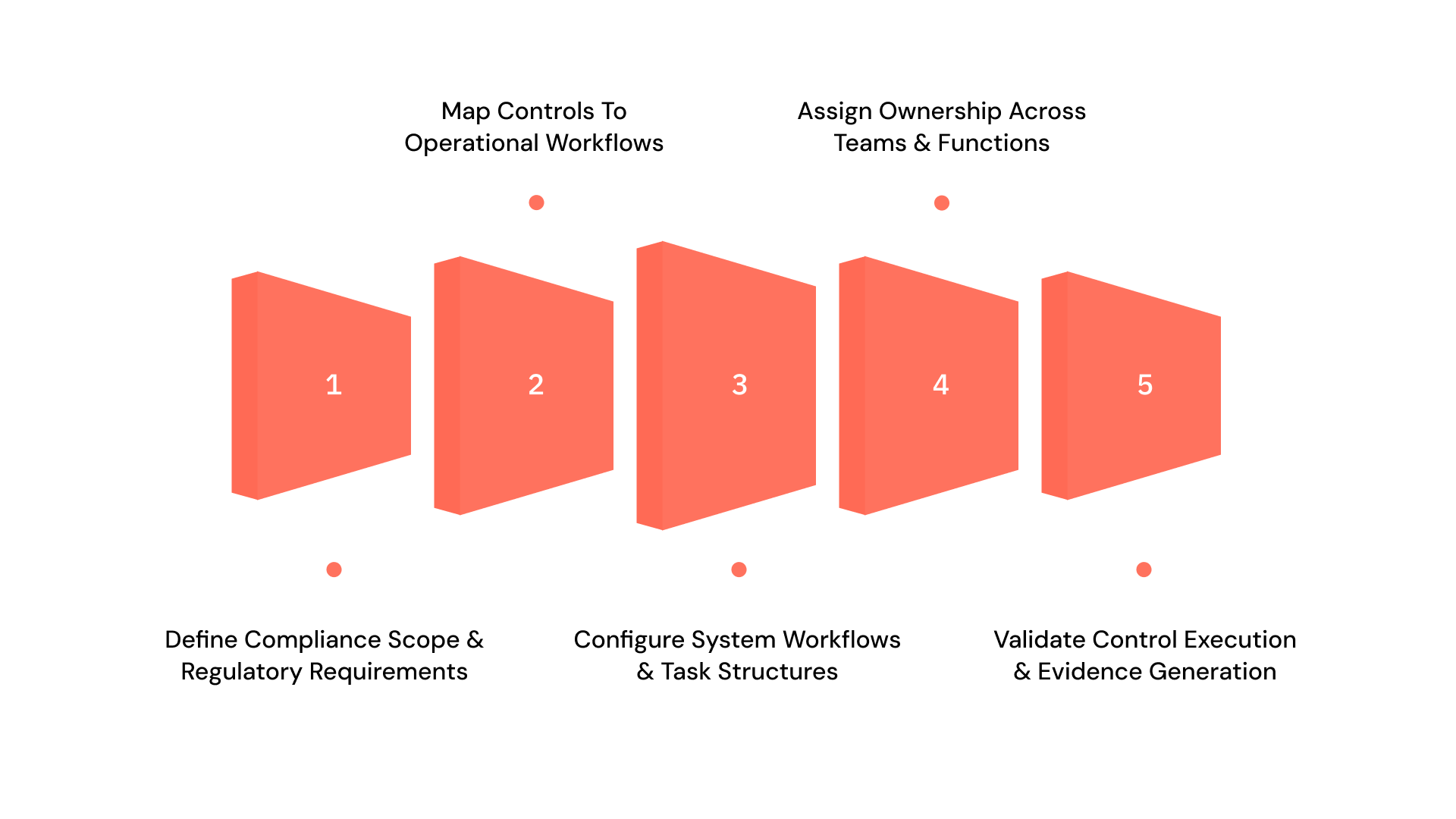
Implementation requires structuring compliance workflows before configuring the system. Each step should build traceability across requirements, controls, and execution:
The implementation process should follow these stages:
1. Define Compliance Scope and Regulatory Requirements
Identify applicable regulations based on industry, geography, and operational exposure. This ensures the system is configured to address actual obligations instead of generic compliance needs. Without a defined scope, implementation becomes fragmented and misaligned with regulatory expectations.
Action steps:
- Identify all applicable regulations based on business operations and jurisdictions
- Document regulatory obligations at a requirement level
- Categorize requirements by domain, such as privacy, financial, or operational
- Map regulatory scope to affected systems and business units
- Assign initial regulatory ownership for validation
Best practices:
- Prioritize enforcement-heavy regulations: Focus on laws with higher audit scrutiny first
- Avoid over-scoping early: Start with defined regulatory boundaries to maintain clarity
- Validate scope with stakeholders: Ensure legal and compliance teams confirm applicability
- Maintain a regulatory register: Keep a centralized record for ongoing updates
2. Map Controls to Operational Workflows
Translate regulatory requirements into specific controls and embed them into existing workflows. This ensures compliance is executed within daily operations rather than tracked separately. Without workflow mapping, controls remain theoretical and are inconsistently applied.
Action steps:
- Break regulatory requirements into control objectives
- Define control activities aligned with each objective
- Map controls to specific workflows and systems
- Identify where controls intersect across departments
- Document control execution steps clearly
Best practices:
- Align controls with real workflows: Avoid designing controls that disrupt operations
- Ensure one-to-one traceability: Each requirement should map to a measurable control
- Standardize control logic: Maintain consistency across similar processes
- Validate feasibility early: Confirm controls can be executed operationally
3. Configure System Workflows and Task Structures
Set up workflows within the system that define task sequences, approvals, and escalation paths. This ensures compliance activities follow structured processes. Without defined workflows, execution becomes inconsistent and dependent on manual coordination.
Action steps:
- Configure task sequences for each control workflow
- Define approval layers and validation checkpoints
- Set deadlines and timelines for each task
- Enable escalation triggers for delays or failures
- Align workflows with system capabilities
Best practices:
- Keep workflows structured but simple: Avoid unnecessary complexity in early stages
- Use automation where possible: Reduce manual intervention in task progression
- Test workflows in controlled environments: Validate before full rollout
- Ensure audit traceability: Every workflow step should be logged
4. Assign Ownership Across Teams and Functions
Assign responsibility for each control and workflow step to specific individuals. This ensures accountability at every stage of execution. Without ownership, tasks remain untracked, and compliance gaps persist across teams.
Action steps:
- Assign control owners at the execution level
- Define workflow-level responsibilities for each task
- Establish escalation ownership for exceptions
- Map ownership across compliance, risk, and operations
- Document ownership within the system
Best practices:
- Avoid shared ownership ambiguity: Assign clear individual accountability
- Align roles with operational functions: Match ownership to actual execution roles
- Track ownership changes: Maintain visibility into transitions
- Link ownership to performance metrics: Reinforce accountability
5. Validate Control Execution and Evidence Generation
Test workflows to confirm that controls operate correctly and generate required evidence. This ensures the system supports audit readiness. Without validation, organizations assume compliance without verifying execution outcomes.
Action steps:
- Run test scenarios for each control workflow
- Verify that controls execute as defined
- Confirm evidence generation at each step
- Validate timestamps, approvals, and logs
- Document test results and gaps
Best practices:
- Test across multiple scenarios: Include edge cases and exceptions
- Validate evidence quality, not just presence: Ensure completeness and accuracy
- Schedule periodic re-validation: Maintain ongoing reliability
- Link validation results to improvements: Continuously refine workflows
Also read: US State-by-State Data Privacy Laws: What Compliance Teams Must Track
When implementation moves from defined steps to cross-functional execution, maintaining consistency becomes difficult without a structured system. VComply helps translate these steps into connected workflows, where controls, ownership, and evidence remain aligned across teams and systems.
Defining Ownership, Roles, and Accountability Within the System
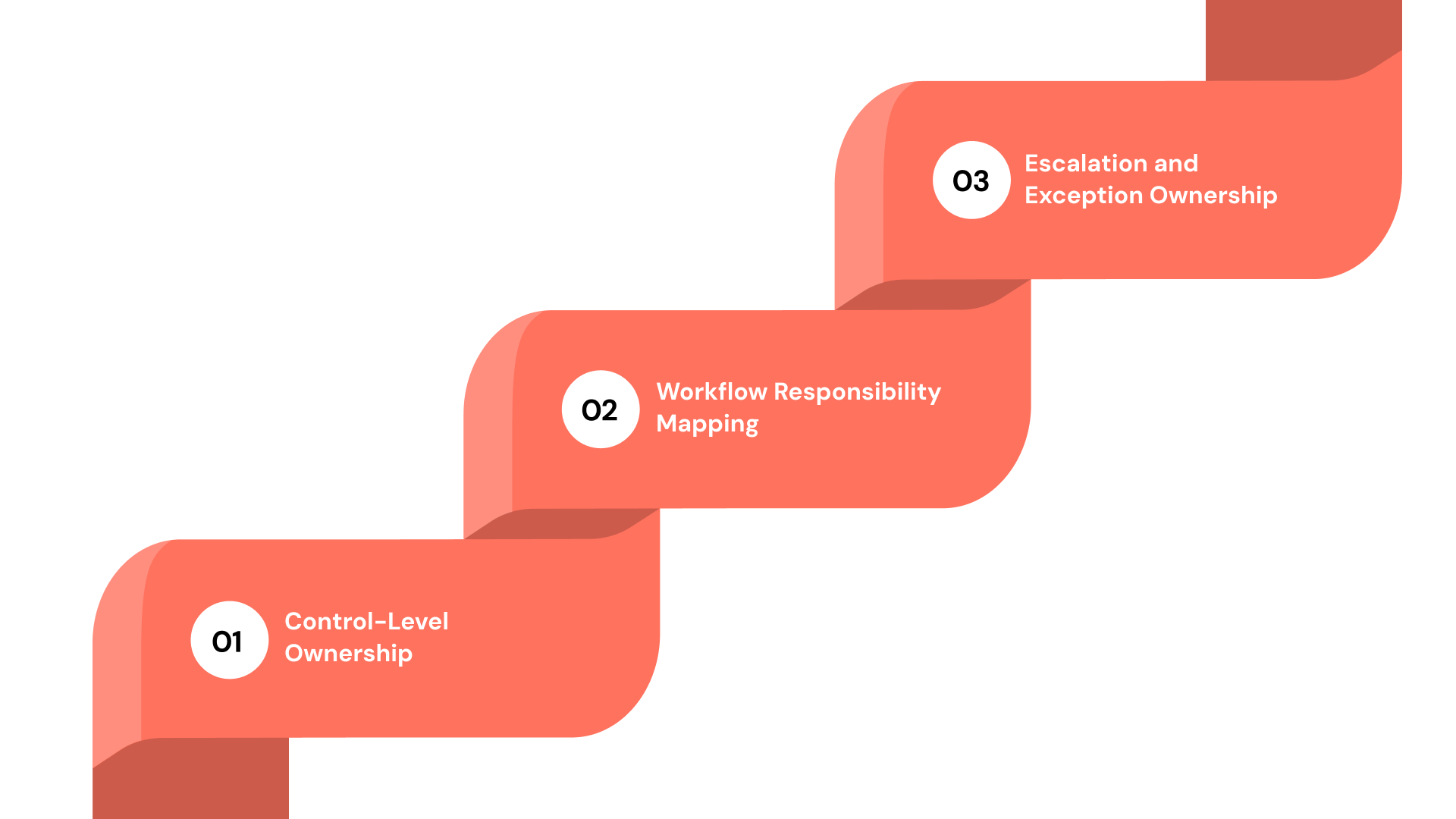
Ownership determines whether compliance software enforces accountability or simply tracks activity. Roles must be defined at the execution level:
1. Control-Level Ownership
Each control must have a designated owner responsible for execution and validation. This ensures accountability beyond policy ownership. Without control-level ownership, compliance tasks remain unassigned and inconsistently executed across workflows.
2. Workflow Responsibility Mapping
Ownership should extend across workflow steps, including approvals, validations, and escalations. This ensures that every stage of execution has a responsible party. Without this mapping, workflows stall and create delays in compliance activities.
3. Escalation and Exception Ownership
Define who handles exceptions, delays, and control failures. This ensures that issues are addressed promptly. Without escalation of ownership, compliance gaps remain unresolved and increase audit risk.
Configuring Control Frameworks, Workflows, and Escalation Paths
Configuration determines whether compliance software enforces structure or becomes another tracking tool:
1. Control Framework Alignment
Align controls with regulatory requirements and risk exposure. This ensures relevance and effectiveness. Without alignment, controls fail to address actual compliance risks.
2. Workflow Automation and Sequencing
Define workflows that automate task progression, approvals, and validations. This ensures consistency in execution. Without automation, workflows rely on manual intervention and become unreliable.
3. Escalation Logic and Alerts
Configure escalation paths for missed deadlines or failed controls. This ensures timely resolution. Without escalation logic, issues remain undetected until audits.
Integrating Compliance Software With Existing Systems and Data Sources
Integration ensures that compliance operates across systems rather than within isolated tools:
1. System Integration for Data Consistency
Connect compliance software with existing systems to ensure accurate data flow. This reduces duplication and inconsistencies. Without integration, compliance data becomes fragmented.
2. Real-Time Data Synchronization
Enable real-time updates across systems to maintain the current compliance status. This ensures timely visibility. Without synchronization, reporting becomes outdated.
3. Cross-Functional Data Visibility
Ensure that compliance, risk, and operations teams have access to the same data. This improves coordination. Without shared visibility, decision-making becomes inconsistent.
If integration gaps are creating delays in visibility or reporting, evaluate how VComply unifies compliance, risk, and operational data into a single system for consistent execution tracking.
Also read: Common HIPAA Violations to Avoid
How to Migrate Policies, Controls, and Historical Evidence Without Gaps
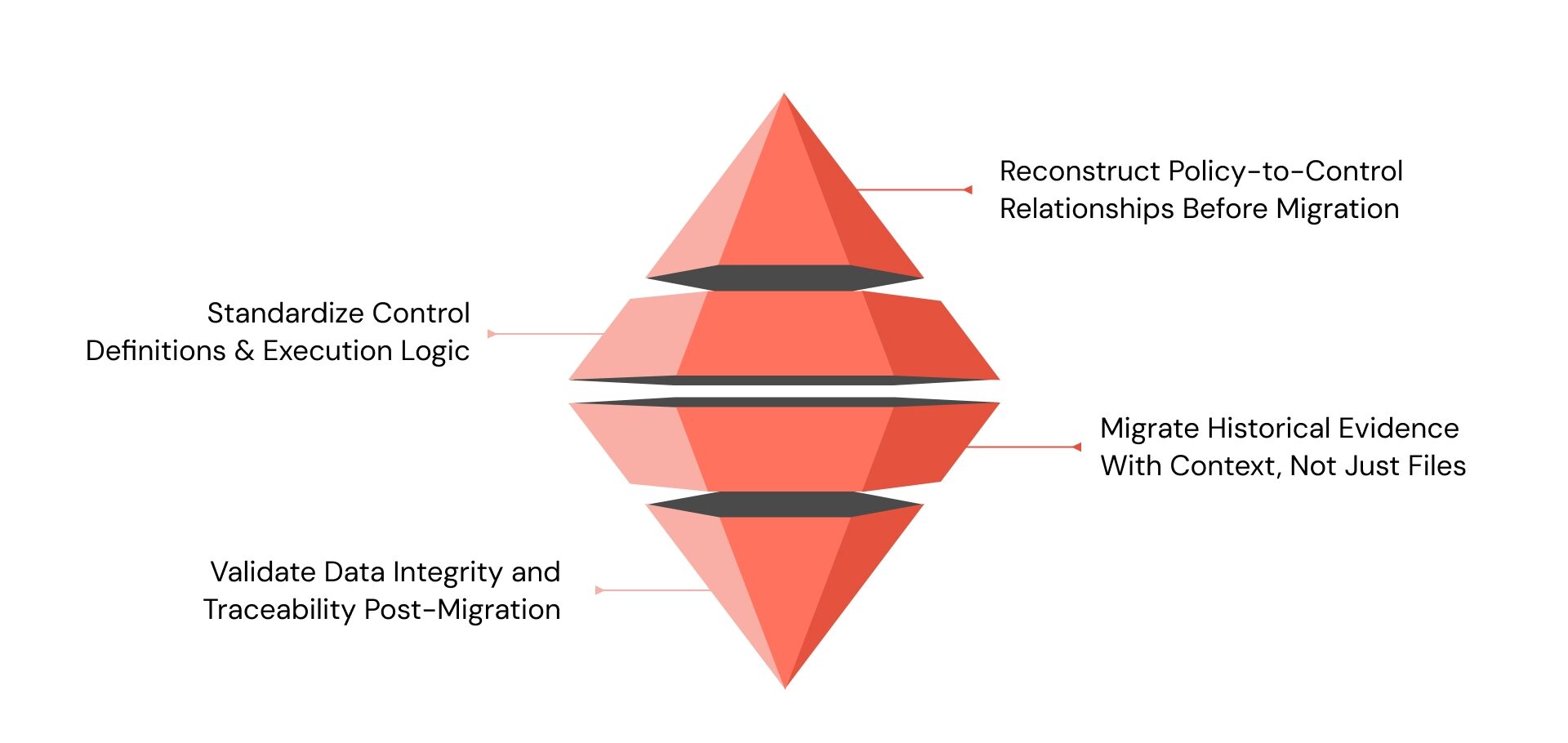
Migration is where most implementations silently fail. Systems go live, but historical context is lost, control relationships break, and evidence cannot be traced back to prior execution. A structured migration ensures continuity between past compliance activities and future workflows, preserving audit defensibility.
A reliable migration approach must address structure, traceability, and validation across all data layers:
1. Reconstruct Policy-to-Control Relationships Before Migration
Policies and controls often exist in documents, spreadsheets, or siloed tools without consistent linkage. Before migration, these relationships must be explicitly mapped so the system reflects how policies translate into execution.
This includes identifying which controls support each policy requirement, how those controls are executed, and which teams are responsible. Without reconstructing these relationships, migrated data becomes disconnected, making it difficult to validate compliance during audits.
2. Standardize Control Definitions and Execution Logic
Controls are often defined differently across teams, even when addressing the same requirement. Migration requires standardizing control names, execution steps, validation criteria, and expected outcomes.
For example, access review controls may vary across systems but should follow a consistent structure in the new system. Without standardization, reporting becomes inconsistent, and control performance cannot be compared or validated reliably.
3. Migrate Historical Evidence With Context, Not Just Files
Evidence migration must include more than uploading documents. Each record should retain metadata such as timestamps, ownership, associated controls, and validation status.
For example, an approval log should indicate who approved it, when it occurred, and which control it supports. Without this context, evidence cannot be used to demonstrate past compliance, weakening audit defensibility.
4. Validate Data Integrity and Traceability Post-Migration
After migration, organizations must verify that policies, controls, and evidence maintain their relationships and accuracy within the system.
This includes testing whether a control links back to its policy, whether evidence supports the control, and whether timestamps and ownership remain intact. Without validation, migration errors remain hidden until audits expose inconsistencies.
Also read: Achieve seamless compliance – Compliance software for law firms
Common Implementation Failures and How to Avoid Them
Implementation failures do not occur because systems are missing. They occur because execution is not structured, measured, or validated. These failures often surface during audits when organizations are required to demonstrate how compliance operates in practice.
The most critical failures and how to address them include:
1. Controls Defined but Not Embedded Into Workflows:
Organizations often document controls without integrating them into operational workflows. This creates a disconnect between defined requirements and actual execution, where teams rely on manual interpretation instead of structured processes.
During audits, this gap appears when organizations cannot demonstrate how controls are consistently executed across systems, leading to reliance on explanations instead of verifiable evidence.
How to avoid:
- Map each control to a specific workflow step within the system
- Configure workflows so controls trigger tasks automatically
- Validate execution paths through test scenarios before rollout
2. Ownership Defined at Policy Level but Missing at Execution Level:
Ownership is often assigned to departments or policy owners, but not to individuals responsible for executing controls. This creates ambiguity in accountability, especially across cross-functional workflows.
As a result, tasks are delayed, exceptions are not resolved, and compliance performance varies across teams, which becomes visible during audit reviews.
How to avoid:
- Assign individual owners for each control and workflow step
- Define escalation paths for missed deadlines or failures
- Track ownership accountability through task completion metrics
3. Evidence Collected After Execution Instead of During Execution
Organizations frequently collect evidence during audit preparation rather than generating it during control execution. This leads to incomplete records, missing timestamps, and inconsistent documentation.
Auditors identify this pattern quickly, as reconstructed evidence lacks traceability and does not reflect actual execution.
How to avoid:
- Configure systems to capture evidence automatically during execution
- Link evidence directly to control activities and workflows
- Standardize required evidence fields, such as timestamps and ownership
4. Fragmented Systems Prevent End-to-End Visibility
Compliance activities are often spread across spreadsheets, emails, and multiple tools, which prevents organizations from maintaining a unified view of execution.
This fragmentation delays issue detection, creates inconsistencies in reporting, and limits leadership visibility into compliance performance.
How to avoid:
- Integrate compliance workflows into a centralized system
- Consolidate data sources for unified reporting
- Enable real-time visibility into control status and task progress
5. Control Testing Exists but Is Not Linked to Risk Prioritization
Organizations may test controls regularly, but without aligning testing frequency to risk exposure. This results in equal effort across low-risk and high-risk areas, reducing overall effectiveness.
During audits, high-risk gaps become visible because they were not prioritized appropriately.
How to avoid:
- Assign risk scores to controls based on data sensitivity and impact
- Increase validation frequency for high-risk controls
- Align testing schedules with risk exposure instead of fixed timelines
Also read: Stark Law Compliance: How to Avoid Violations?
Turning Implementation Into a Unified GRC System With VComply
Implementation often fails because compliance, risk, policy, and incident management remain disconnected across systems. This fragmentation creates gaps in traceability, delays validation, and reduces visibility for leadership.
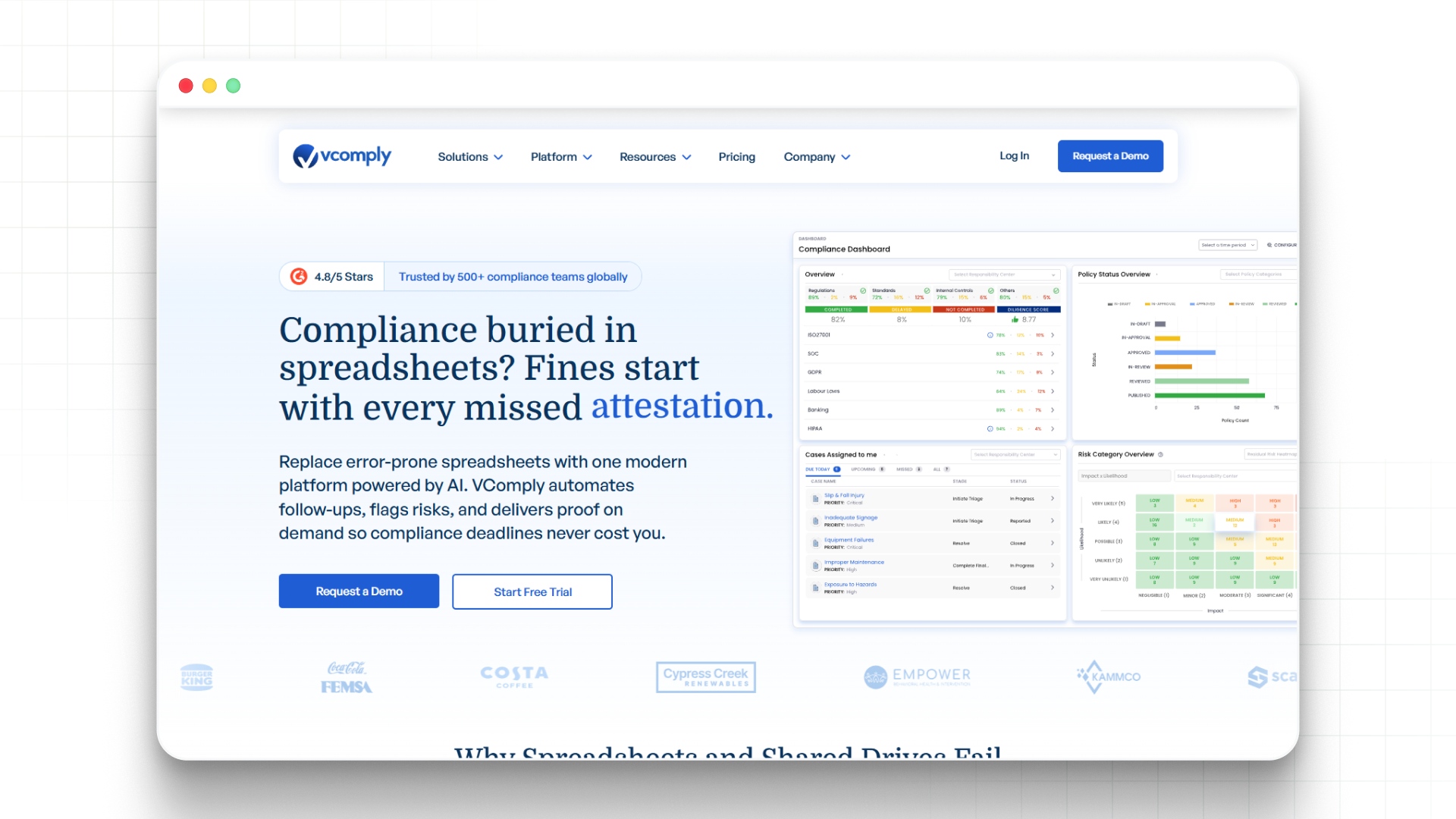
VComply structures implementation by connecting these functions into a unified system that supports continuous execution and monitoring:
- Use ComplianceOps to map regulatory requirements to controls and workflows with clear ownership
- Apply RiskOps to prioritize compliance activities based on risk exposure and impact
- Manage policy lifecycle, approvals, and attestations through PolicyOps
- Track incidents, violations, and remediation workflows using CaseOps
- Use the GRCOps Suite to maintain centralized visibility across compliance, risk, and operations
Evaluate how VComply structures compliance workflows to maintain control, execution, ownership, and audit traceability across systems. Book a demo today!

Conclusion
Implementing compliance software requires more than deployment. It requires structuring how regulations, controls, ownership, and evidence connect within workflows. Organizations that focus on execution achieve stronger accountability and audit readiness.
VComply enables organizations to centralize compliance activities, align controls with workflows, and maintain visibility across governance functions. This approach replaces fragmented processes with structured execution.
Start a 21-day free trial of VComply to evaluate how a unified system supports compliance software implementation without compromising control execution.
FAQs
The first step involves defining regulatory scope and mapping requirements to controls. This ensures that implementation aligns with actual obligations. Without this step, the configuration becomes generic and fails to support compliance execution effectively.
Implementations fail when controls are not mapped to workflows, ownership is unclear, and evidence is not generated during execution. These gaps create disconnects between system configuration and actual compliance activities, which become visible during audits.
Implementation timelines depend on complexity, regulatory scope, and system integration requirements. A phased approach allows organizations to validate execution early while gradually expanding across teams and workflows for better control and visibility.
Adoption improves when workflows align with existing processes and ownership is clearly defined. Training, role-based access, and accountability tracking ensure that teams use the system consistently as part of their daily operations.
Success is measured through control validation rates, task completion timelines, and evidence availability. These metrics provide insight into whether compliance activities are executed consistently and can be validated during audits.
Organizations can use platforms like VComply to connect compliance, risk, policy, and incident workflows into a unified system. This ensures consistent execution, real-time visibility, and structured accountability across all compliance activities.