

Compliance Assessment: How to Assess Compliance in 6 Steps
Assessing compliance is an important step in formulating and creating a cohesive compliance management system within your organization.
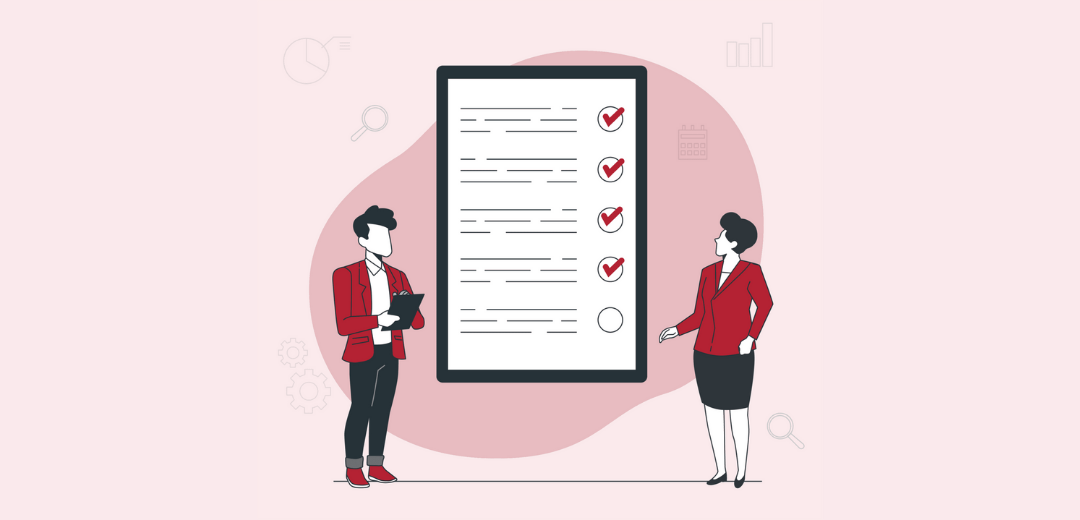
A compliance assessment is a structured review of whether an organization is meeting applicable laws, regulations, standards, contractual obligations, and internal policies. It helps teams identify compliance gaps, evaluate controls, review evidence, prioritize risks, and create corrective action plans before issues become audit findings, regulatory violations, or operational failures.
For compliance teams, the goal is not only to check whether policies exist. A strong assessment verifies whether compliance work is assigned, completed, documented, evidenced, and monitored across the organization. That means reviewing obligations, controls, procedures, training records, audit history, risk registers, evidence, and open remediation actions.
This guide explains how to assess compliance in six steps, what to include in a compliance assessment checklist, how to document findings, and how compliance management software can help teams maintain audit-ready evidence and track corrective actions.
What is a compliance assessment?
A compliance assessment is the process of evaluating whether an organization meets applicable regulations, standards, internal policies, contractual requirements, and control expectations. It usually includes defining the assessment scope, reviewing obligations and policies, collecting evidence, testing controls, identifying gaps, rating risks, reporting findings, and assigning corrective actions.
The output of a compliance assessment is usually a report that shows what was reviewed, which requirements were met, where gaps exist, the risk level of each finding, who owns remediation, and what evidence supports the assessment.
Why Compliance Assessments Matter
Compliance assessments help organizations find problems before auditors, regulators, customers, employees, or business partners do. They provide a structured way to understand whether compliance requirements are being met in practice, not just documented in policies.
A compliance assessment can help teams:
- Identify gaps in policies, procedures, controls, evidence, and ownership
- Confirm whether compliance tasks are being completed on time
- Review whether evidence is current, complete, and reliable
- Prioritize risks based on business, regulatory, and operational impact
- Assign corrective actions before issues become repeat findings
- Prepare for audits, certifications, regulatory reviews, and customer assessments
- Give leadership a clear view of compliance status
A strong compliance assessment connects requirements to controls, evidence, findings, owners, corrective actions, and reporting. Without that connection, teams may know that a requirement exists but may not be able to prove that it was followed.
Compliance Assessment vs. Compliance Audit
Compliance assessments and compliance audits are related, but they are not the same.
| Area | Compliance assessment | Compliance audit |
|---|---|---|
| Purpose | Identify gaps, risks, and improvement areas | Provide formal assurance or verification |
| Timing | Often ongoing, periodic, or before an audit | Usually scheduled or required by regulation, certification, or governance |
| Scope | Can be broad or targeted by process, framework, risk, or department | Usually follows a defined audit plan or standard |
| Output | Findings, risk ratings, gap analysis, corrective actions | Audit report, exceptions, opinion, recommendations |
| Owner | Compliance, risk, legal, operations, internal audit | Internal audit, external auditors, regulators, certification bodies |
| Evidence | Policies, procedures, tasks, controls, training records, logs, reports | Formal audit evidence and test results |
A compliance assessment helps teams find and fix gaps. A compliance audit verifies whether controls and requirements are operating as expected.
Compliance Assessment Process: 6 Steps
A compliance assessment should follow a repeatable process. The six steps below help teams define scope, identify requirements, collect evidence, review controls, report findings, and track remediation.
Step 1: Define the Assessment Scope
Start by deciding what the assessment will cover. A vague assessment creates vague findings. A clear scope helps teams know which requirements, evidence, processes, systems, locations, and owners need to be reviewed.
The scope may include:
- A specific regulation or framework
- A business unit or department
- A location or operating region
- A process, such as vendor management or access control
- A policy area, such as privacy, HR, safety, or information security
- A control set, such as SOX internal controls
- A vendor group or third-party process
- A previous audit finding or remediation area
Capture the following before the assessment begins:
| Scope element | What to define |
|---|---|
| Assessment objective | What the assessment is meant to confirm or improve |
| Business units included | Departments, functions, sites, or teams in scope |
| Requirements included | Laws, regulations, frameworks, contracts, or policies being assessed |
| Time period reviewed | Month, quarter, year, or audit period |
| Responsible team | Compliance, risk, audit, legal, IT, HR, operations, or business owners |
| Evidence required | Documents, approvals, screenshots, reports, logs, training records |
| Timeline | Assessment start date, review period, reporting date, remediation deadlines |
A good scope statement prevents confusion and makes the final report easier to defend.
Step 2: Identify Applicable Requirements
Next, identify the requirements the organization must meet. These may come from laws, regulations, industry standards, contractual obligations, customer requirements, internal policies, board expectations, or control frameworks.
Examples include:
- SOX internal controls
- HIPAA privacy and security requirements
- ISO 27001 controls
- SOC 2 trust services criteria
- OSHA safety requirements
- NERC reliability standards
- GDPR or CCPA privacy obligations
- PCI DSS payment security requirements
- Internal codes of conduct and policies
- Customer security or vendor compliance obligations
For each requirement, document:
| Requirement field | What to capture |
|---|---|
| Regulation or source | Law, standard, framework, contract, policy, or control library |
| Requirement summary | Plain-language explanation of what must be done |
| Business process affected | The process, system, team, or location impacted |
| Control or activity | The internal control or task that supports compliance |
| Owner | Person or team responsible |
| Frequency | Daily, monthly, quarterly, annual, event-based, or continuous |
| Evidence required | Proof needed to show the requirement was met |
This step helps avoid one of the most common compliance assessment mistakes: reviewing activities without first confirming what requirements they are supposed to satisfy.
Step 3: Collect and Review Evidence
Evidence shows whether compliance activities were completed. It is not enough to say that a policy exists or a control is in place. Teams need proof that the required action happened, was reviewed, and was documented.
Common evidence types include:
| Evidence type | Examples |
|---|---|
| Policy evidence | Approved policies, version history, review records, employee acknowledgments |
| Control evidence | Control test results, approvals, screenshots, access reviews, system logs |
| Training evidence | Training completion reports, certifications, attendance records |
| Audit evidence | Prior audit reports, requests, responses, workpapers, remediation records |
| Risk evidence | Risk assessments, treatment plans, mitigation updates |
| Operational evidence | Inspection records, checklists, maintenance logs, workflow approvals |
| Regulatory evidence | Filings, submissions, certifications, regulator correspondence |
| Corrective action evidence | CAPA records, issue closure notes, remediation proof |
Evidence should answer five questions:
- What requirement does this evidence support?
- Who completed the activity?
- When was it completed?
- Who reviewed or approved it?
- Is the evidence current, complete, and reliable?
When evidence is scattered across email, spreadsheets, shared drives, screenshots, and local folders, the assessment becomes slower and harder to defend. Strong compliance programs keep evidence linked to the relevant requirement, control, task, audit request, or corrective action.
Step 4: Test Controls and Identify Gaps
After evidence is collected, review whether controls are designed properly and operating as expected. This is where the assessment moves from documentation review to actual compliance evaluation.
A control may fail for several reasons:
- The control does not exist
- The control exists but is not documented
- The control is assigned to the wrong owner
- The control is not performed consistently
- Evidence is missing or incomplete
- The control is not reviewed or approved
- The control does not fully address the requirement
- The control is outdated due to regulatory, system, or process changes
Common compliance gaps include:
| Gap type | Example |
|---|---|
| Missing policy | A privacy requirement exists, but no approved policy supports it |
| Missing owner | A recurring compliance task has no accountable person |
| Incomplete evidence | A control was performed, but proof is missing |
| Outdated training | Required employee training has not been refreshed |
| Weak approval history | A review was completed but not formally approved |
| Overdue review | A policy or control has not been reviewed on schedule |
| Unresolved finding | A prior audit issue remains open |
| Control mismatch | A control does not fully satisfy the requirement |
Each gap should be documented clearly. Avoid vague finding language such as “process needs improvement.” Instead, describe the requirement, the expected control, the evidence reviewed, and the specific gap.
Step 5: Rate Risks and Report Findings
Not all findings have the same impact. Some create minor documentation gaps. Others can create regulatory exposure, customer risk, financial loss, operational disruption, or repeated audit findings.
Rate each finding based on:
- Likelihood
- Impact
- Regulatory exposure
- Customer or patient impact
- Financial impact
- Operational severity
- Audit importance
- Repeat issue history
- Control dependency
A simple risk rating model can look like this:
| Rating | Meaning | Example |
|---|---|---|
| Low | Limited impact, easy to correct | Minor evidence naming issue |
| Medium | Process weakness or incomplete documentation | Missing review record for a recurring control |
| High | Significant compliance gap or overdue remediation | Control not performed for a regulated process |
| Critical | Serious legal, regulatory, safety, financial, or operational exposure | Missing required reporting, repeated control failure, or unresolved high-risk finding |
A compliance assessment report should include:
| Report element | What to include |
|---|---|
| Requirement reviewed | Regulation, framework, policy, or control expectation |
| Finding description | Clear summary of the issue |
| Evidence reviewed | Documents, logs, reports, approvals, screenshots, records |
| Risk rating | Low, medium, high, or critical |
| Root cause | Why the issue occurred |
| Business impact | Regulatory, operational, financial, customer, or reputational impact |
| Recommended action | What should be done to close the gap |
| Owner | Person or team responsible for remediation |
| Due date | Target completion date |
| Status | Open, in progress, overdue, closed, retesting required |
The report should help leadership understand what matters most and what needs action first.
Step 6: Assign Corrective Actions and Monitor Remediation
A compliance assessment is not complete when findings are documented. It is complete when gaps are assigned, corrected, evidenced, reviewed, and closed.
For each finding, create a corrective action plan that includes:
- Corrective action owner
- Required remediation
- Due date
- Evidence required for closure
- Reviewer or approver
- Escalation path
- Follow-up testing requirement
- Final closure status
Corrective action tracking is where many assessments fail. Teams identify the problem but do not follow it through to closure. That creates repeat findings and weakens audit readiness.
A strong remediation process should show:
| Remediation item | What to track |
|---|---|
| Owner | Who is responsible for completing the action |
| Due date | When remediation must be completed |
| Priority | Low, medium, high, or critical |
| Status | Open, in progress, overdue, closed |
| Evidence | Proof that remediation was completed |
| Review | Who confirmed the fix |
| Retesting | Whether the control should be tested again |
| Closure approval | Final sign-off from compliance, audit, risk, or the business owner |
Corrective actions should remain visible until they are closed with evidence.
Common Compliance Assessment Examples
Compliance assessments can be performed across many frameworks, departments, and risk areas.
| Assessment type | What to review |
|---|---|
| SOX compliance assessment | Internal controls, approvals, reconciliations, segregation of duties, evidence |
| HIPAA compliance assessment | Access controls, risk assessments, privacy policies, training, incident logs |
| ISO 27001 compliance assessment | Security controls, risk treatment plans, internal audits, evidence records |
| SOC 2 readiness assessment | Access management, change management, vendor risk, incident response, monitoring |
| OSHA compliance assessment | Safety policies, inspections, training, incident records, corrective actions |
| NERC compliance assessment | Reliability obligations, asset-level evidence, procedures, field records |
| GDPR/CCPA privacy assessment | Data processing records, privacy notices, request workflows, vendor controls |
| Internal policy compliance assessment | Policy acknowledgments, training records, exceptions, review cycles |
The assessment approach may change by framework, but the core process remains the same: define requirements, collect evidence, review controls, identify gaps, rate risk, assign remediation, and monitor closure.
Common Mistakes to Avoid During a Compliance Assessment
A compliance assessment can create value only if it is structured and evidence-based. Avoid these common mistakes.
| Mistake | Why it creates risk | Better approach |
|---|---|---|
| Assessing without a clear scope | Teams review too much or miss critical areas | Define scope, criteria, timeline, and evidence upfront |
| Reviewing policies only | Policies may exist but not be followed | Test evidence, controls, training, and task completion |
| Collecting evidence late | Audit prep becomes rushed and incomplete | Collect evidence continuously |
| No risk rating | Leadership cannot prioritize findings | Rate findings by likelihood, impact, and urgency |
| Unclear ownership | Gaps remain unresolved | Assign owners and due dates |
| Weak documentation | Findings cannot be defended | Keep evidence, notes, approvals, and decision history |
| No remediation tracking | Assessment does not lead to improvement | Track corrective actions until closure |
| No retesting | Recurring gaps remain hidden | Retest high-risk issues after remediation |
The biggest mistake is treating the assessment as a one-time review instead of part of continuous compliance management.
Compliance Assessment Software: What to Look For
Compliance assessment software helps teams plan assessments, collect evidence, map requirements, identify gaps, rate risks, assign corrective actions, and report status.
| Capability | Why it matters |
|---|---|
| Requirement mapping | Connects laws, standards, and policies to controls and tasks |
| Evidence management | Links proof to requirements, controls, findings, and assessments |
| Workflow automation | Sends reminders, approvals, and escalations |
| Risk scoring | Prioritizes gaps based on likelihood, impact, and severity |
| Corrective action tracking | Assigns remediation owners, due dates, and closure evidence |
| Audit trails | Records who completed, reviewed, approved, or changed items |
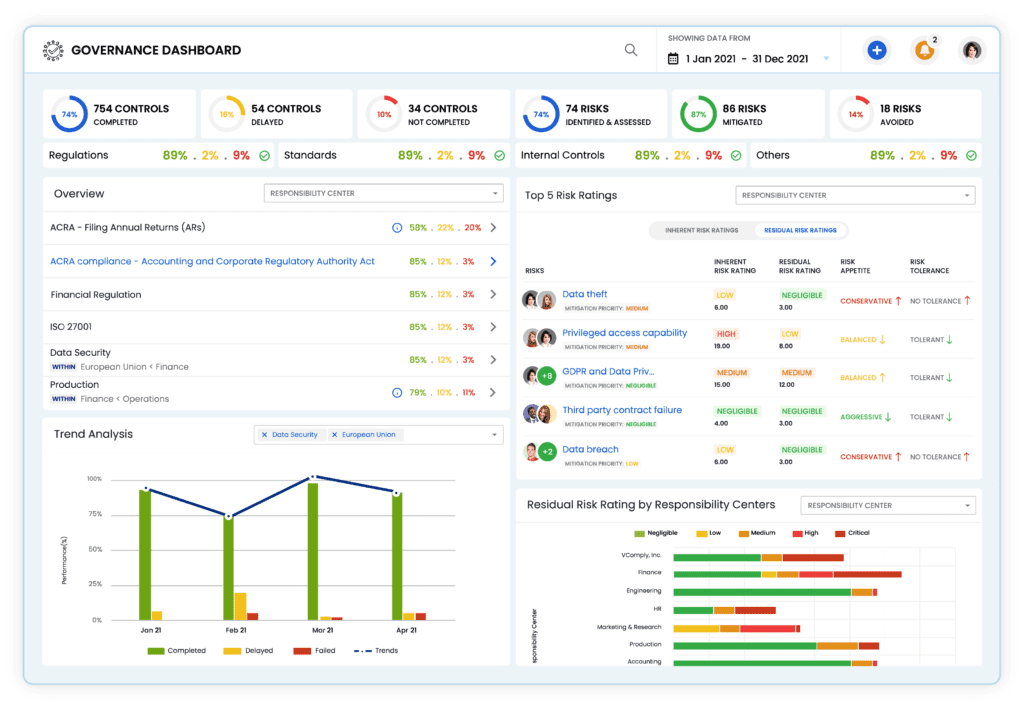
| Dashboards | Shows open gaps, overdue actions, evidence status, and risk levels |
| Reporting | Creates leadership-ready assessment reports |
| Framework support | Helps assess SOX, HIPAA, ISO 27001, SOC 2, NERC, OSHA, GDPR, CCPA, and other obligations |
A generic task tracker may help with assignments, but it usually cannot connect requirements, evidence, risk ratings, findings, remediation, and audit trails in one place. For compliance teams, that connection is what makes assessment results defensible.

Assess Compliance with VComply
Utilizing VComply can significantly enhance your organization’s compliance management. It offers a comprehensive suite of tools designed to streamline the entire compliance process.
Implement Compliance Programs
VComply helps organizations establish robust compliance programs by integrating policies and procedures into a centralized system. This ensures that all regulatory requirements are consistently met across the organization.
Collaborate on Compliance Tasks
VComply facilitates seamless collaboration among compliance teams by providing tools that enable real-time communication and task management. Teams can easily assign tasks, track progress, and ensure that all compliance activities are completed efficiently.
Automate Workflow
Automation is a key feature of VComply, helping organizations save time and reduce errors in their compliance processes. The platform automates repetitive tasks such as data entry, monitoring, and reporting, ensuring that compliance activities are carried out consistently and accurately.
Generate Compliance Reports
VComply’s advanced reporting capabilities allow organizations to generate detailed compliance reports with ease. These reports provide valuable insights into compliance performance, highlighting areas of strength and identifying potential risks.
By integrating VComply into your compliance strategy, your organization can enhance its ability to manage compliance efficiently, ensure adherence to regulatory standards, and foster a culture of continuous improvement.
Final Thoughts
A compliance assessment should do more than confirm whether policies exist. It should show whether requirements are understood, controls are operating, evidence is complete, risks are visible, and corrective actions are being completed.
The strongest assessments create a clear line from requirement to control, evidence, finding, owner, remediation, and reporting. That line is what helps compliance teams respond faster to audits, reduce repeat findings, and give leadership a reliable view of compliance status.
VComply helps organizations manage that process by centralizing compliance requirements, evidence, ownership, risk, findings, corrective actions, and reports. Try VComply by requesting a demo today!
Frequently Asked Questions
A compliance assessment is a structured review of whether an organization is meeting applicable regulations, standards, contracts, internal policies, and control requirements. It includes reviewing evidence, testing controls, identifying gaps, rating risks, and assigning corrective actions.
After a compliance assessment, findings should be documented, risk-rated, reported to stakeholders, assigned to owners, tracked through corrective actions, and retested where necessary.
A compliance assessment checklist should include scope, applicable requirements, policies, controls, owners, evidence, training records, risk ratings, findings, corrective actions, reporting, and monitoring.
Compliance assessment software helps teams map requirements, collect evidence, test, track gaps, assign corrective actions, maintain audit trails, and report compliance status.
Compliance assessments are usually led by compliance, risk, legal, or internal audit teams. Business owners, department heads, IT, HR, finance, operations, and external advisors may also support the process.