

6 Best OSHA Compliance and Safety Audit Software
OSHA compliance isn’t just about avoiding fines; it’s about keeping your workforce safe and operations efficient.
On January 15, 2025, the U.S. Department of Labor increased OSHA penalties, raising the maximum fine for serious or other-than-serious violations from $16,131 to $16,550 per case, and for willful or repeated violations from $161,323 to $165,514 per case. These rising penalties highlight the cost of non-compliance and the importance of consistent safety oversight.
Managing regulations, inspections, training, and incident tracking manually can be overwhelming. Safety audit software simplifies this process by centralizing audits, automating hazard identification, and providing real-time reporting.
From small facilities to multi-site enterprises, the right software empowers teams to enforce safety controls consistently, maintain compliance, and create a proactive safety culture.
In this guide, we’ll explore the best OSHA compliance management software, key features to look for, implementation strategies, and tips to maximize impact across your organization.
At a glance:
- OSHA compliance software centralizes workplace safety, automates audits, tracks hazards, assigns corrective actions, and maintains records to ensure regulatory adherence.
- Modern tools offer audit management, hazard tracking, incident reporting, training management, mobile access, automated alerts, and dashboards.
- The software reduces workplace risks, ensures audit readiness, improves accountability, and boosts operational efficiency.
- Top solutions include VComply, EHS Insight, EcoOnline, RiskWatch, Compliancy Group, and SafetyMojo, supporting audits, incident management, risk oversight, and reporting.
- Best practices for implementation include engaging stakeholders, providing training, piloting first, ensuring accurate data migration, integrating systems, automating alerts, monitoring performance, and maintaining leadership oversight.
- When implemented effectively, OSHA compliance software embeds safety into daily operations, prevents accidents, simplifies audits, and fosters a proactive safety culture.
What Is OSHA Compliance and Safety Audit Software?
OSHA (Occupational Safety and Health Administration) compliance and safety audit software is a digital platform that helps organizations manage workplace safety, inspections, and regulatory obligations in a centralized system. Instead of relying on spreadsheets, paper forms, or scattered processes, these tools automate audits, track hazards, assign corrective actions, and maintain a clear record of compliance activities.
Key tasks typically supported by this software include:
- Conducting safety audits and inspections across sites.
- Identifying, logging, and mitigating workplace hazards.
- Recording incidents, near misses, and corrective actions.
- Managing OSHA-required training and certifications.
- Generating real-time dashboards and reports for leadership and regulators.
By consolidating these activities, organizations can reduce risk, ensure audit readiness, and create a culture of proactive safety management rather than reacting to incidents after the fact.
Key Features of OSHA Compliance and Safety Audit Software
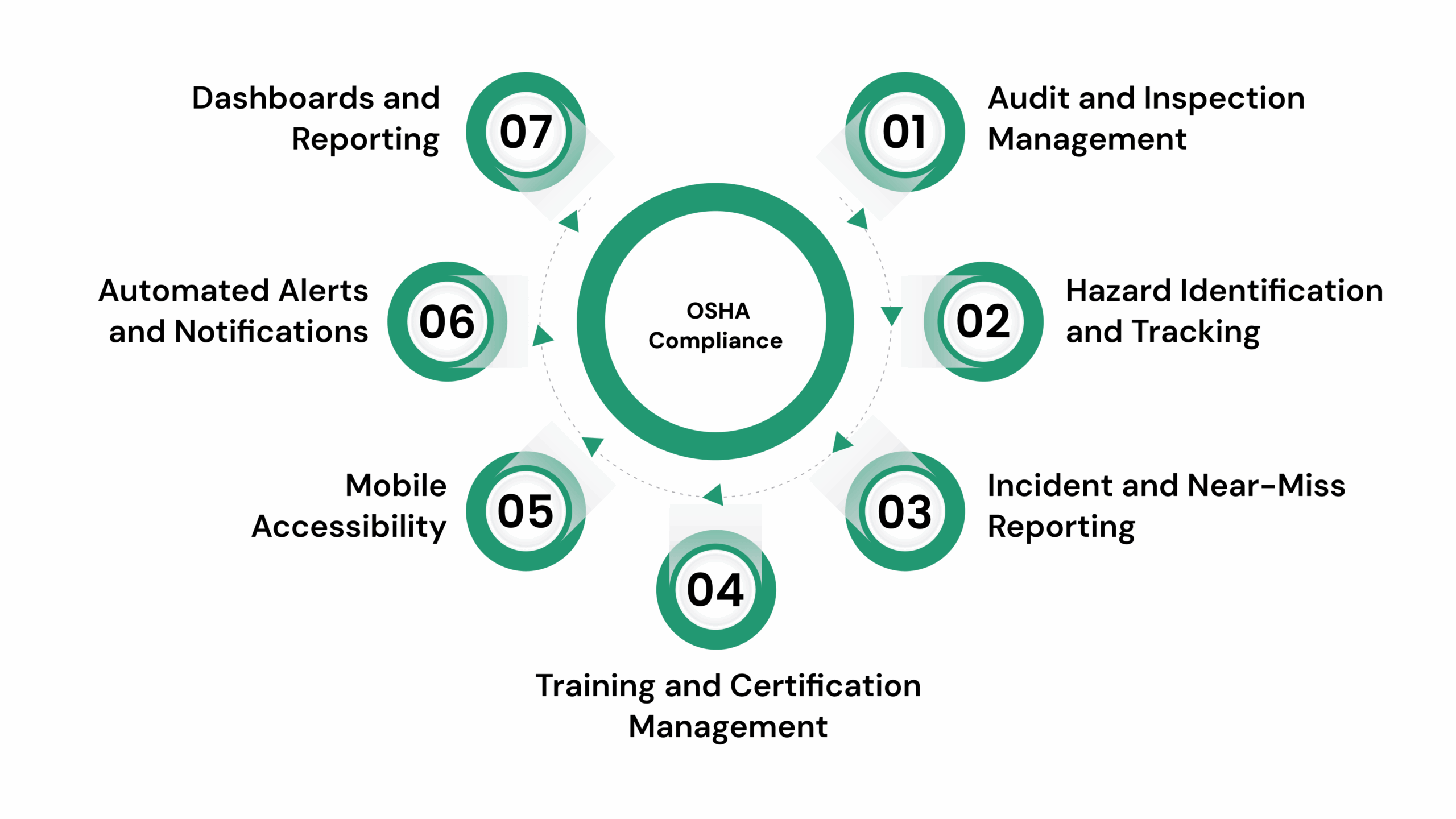
Modern OSHA compliance software offers a range of features designed to streamline safety management, reduce risk, and simplify regulatory reporting. Key capabilities include:
- Audit and Inspection Management: Schedule, conduct, and track safety audits across multiple sites with customizable checklists and automated reminders. This ensures no site or process is overlooked and audits remain consistent across locations.
- Hazard Identification and Tracking: Log potential hazards, assign risk levels, and monitor corrective actions in real time. Organizations can prioritize high-risk areas and reduce the likelihood of workplace incidents.
- Incident and Near-Miss Reporting: Record workplace incidents, generate reports, and track resolution to prevent recurrence. Analyzing trends over time helps teams implement preventive measures before accidents occur.
- Training and Certification Management: Maintain records of OSHA-required training, certifications, and renewals for all employees. Managers can quickly verify compliance and schedule refresher sessions when needed.
- Mobile Accessibility: Capture inspections, incidents, and corrective actions directly from mobile devices in the field. This improves efficiency and ensures real-time updates from frontline teams.
- Automated Alerts and Notifications: Receive reminders for upcoming audits, expiring certifications, or overdue corrective actions. Timely notifications reduce the risk of compliance lapses and keep safety initiatives on track.
- Dashboards and Reporting: Access real-time insights, generate compliance reports, and maintain audit-ready documentation. Management can easily track overall safety performance and demonstrate compliance to regulators.
These features collectively help organizations move from reactive safety management to a proactive, measurable, and traceable approach, keeping employees safer and reducing regulatory risk.
Why OSHA Compliance Software Is Essential for Workplace Safety
Workplace safety is about protecting employees, avoiding costly incidents, and building a culture of accountability.
According to the Bureau of Labor Statistics, the private-sector non-fatal occupational injury and illness rate in the U.S. was 2.4 cases per 100 full-time workers in 2023, underscoring how frequent safety incidents remain across industries.
Traditional manual tracking, spreadsheets, and fragmented systems often leave gaps, increasing the risk of missed inspections, overlooked hazards, and delayed corrective actions. OSHA compliance software addresses these challenges by centralizing safety operations and automating critical processes.
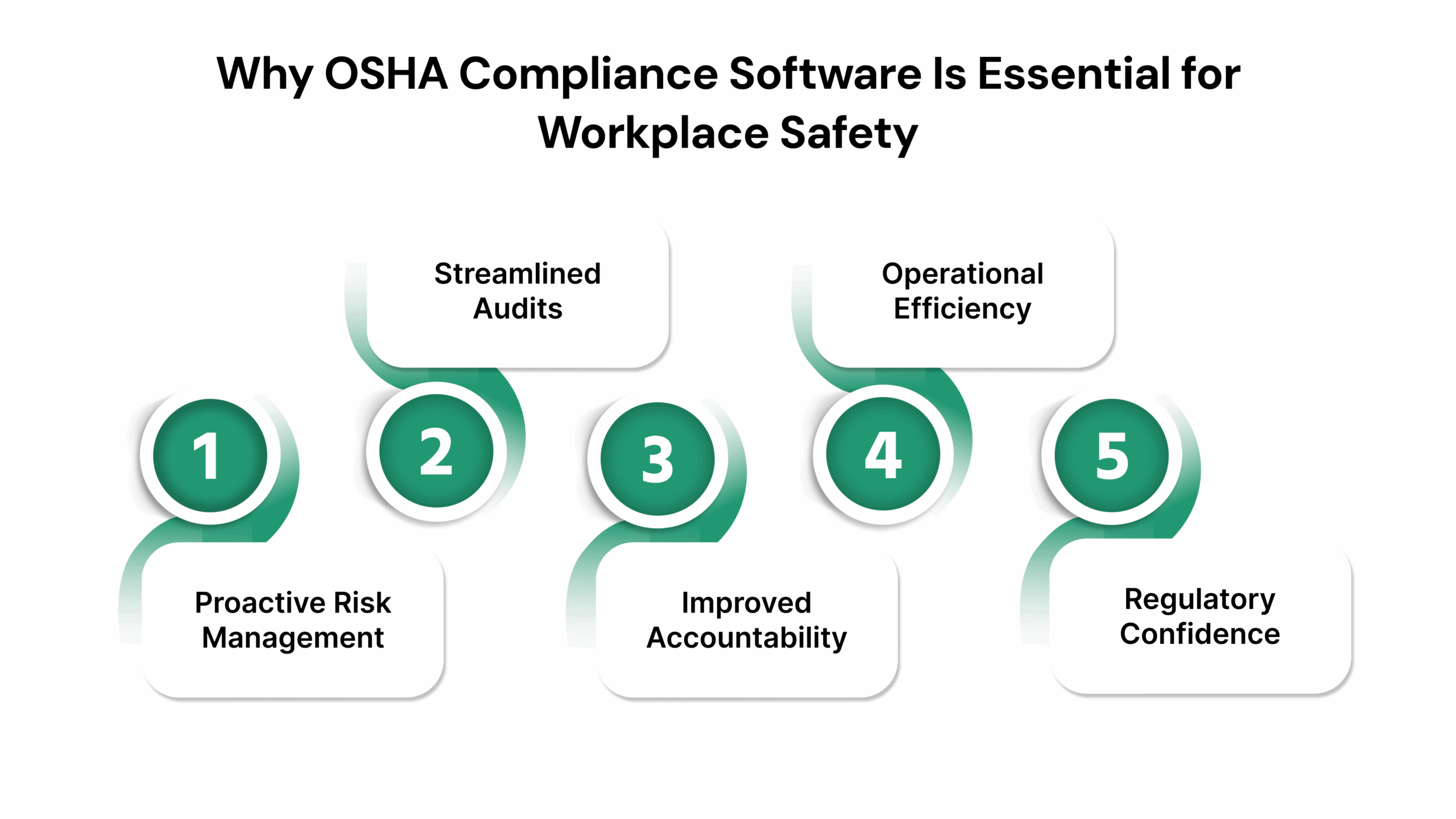
Key reasons it matters:
1. Proactive Risk Management
Automated hazard identification and risk scoring help organizations detect and mitigate safety issues before they escalate. With real-time monitoring, safety teams can act on early warning signs instead of waiting for incidents to occur.
2. Streamlined Audits
Centralized documentation and real-time reporting make audits faster and more accurate. During an OSHA inspection, companies can instantly provide records of training, incident reports, and corrective actions, reducing compliance stress and avoiding potential fines.
3. Improved Accountability
Digital task assignments, audit trails, and completion tracking make safety responsibilities clear across teams and shifts. This transparency ensures follow-through on corrective actions and fosters a culture of shared accountability.
4. Operational Efficiency
Automation reduces time spent on repetitive tasks such as checklists, reminders, and report generation. With streamlined workflows, safety managers can focus on preventive programs, employee engagement, and continuous improvement.
5. Regulatory Confidence
Demonstrating consistent compliance builds trust with regulators, insurers, and employees while minimizing fines. Companies with centralized compliance systems often experience faster approvals for safety certifications and reduced insurance premiums.
By embedding OSHA compliance software into daily operations, organizations move from reactive safety management to a proactive, data-driven approach. It not only safeguards employees but also strengthens operational resilience, audit readiness, and regulatory confidence.
Top 6 OSHA Compliance and Safety Audit Software Tools
Selecting the right software can streamline safety audits, reduce compliance risks, and improve operational efficiency. Here are some leading solutions designed to help organizations maintain OSHA compliance:
1. VComply
Source:- https://www.v-comply.com/
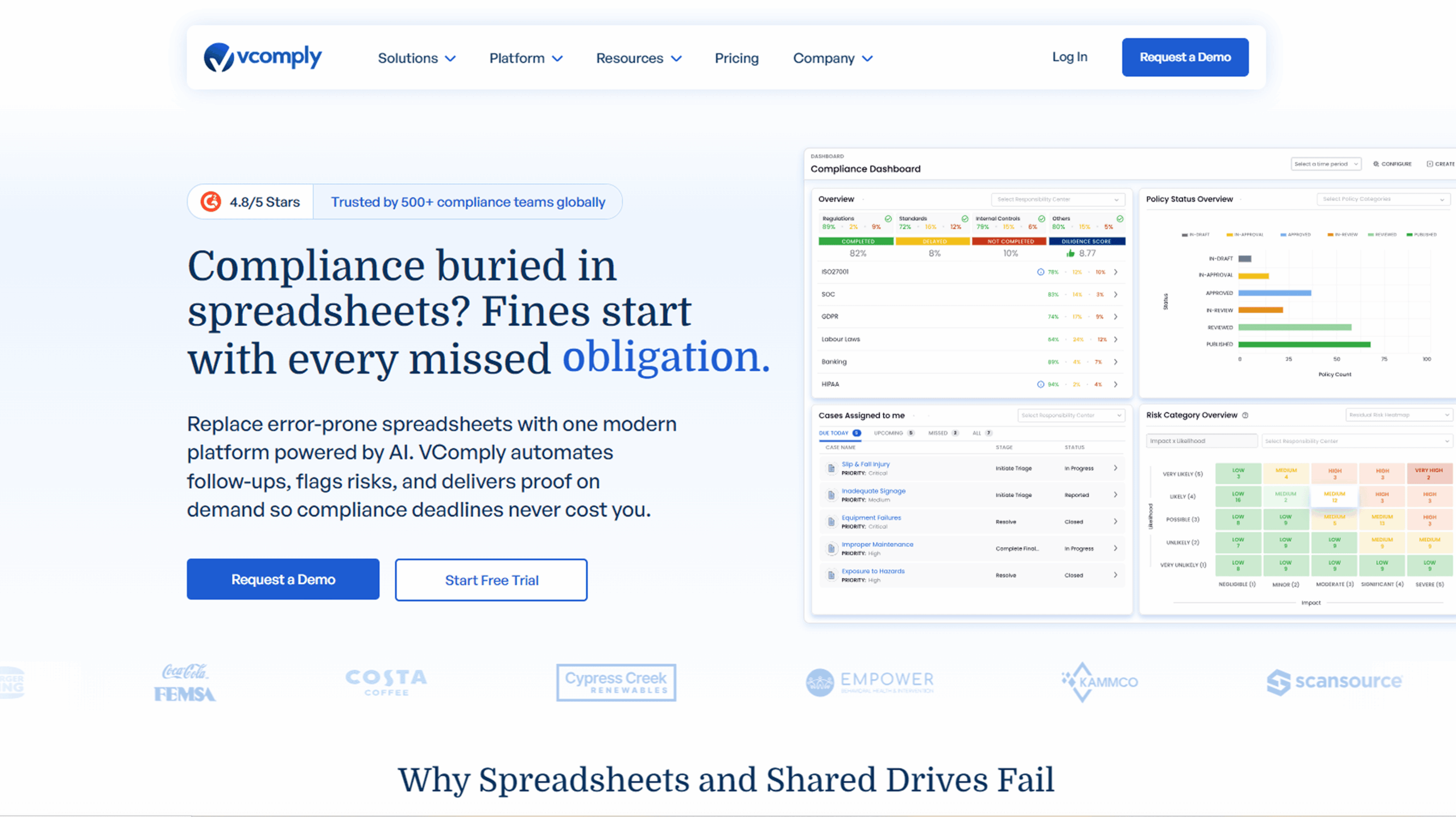
VComply is a modern governance, risk, and compliance (GRC) platform that replaces error-prone spreadsheets with a centralized, AI-powered system. It automates follow-ups, flags risks, and delivers audit-ready proof on demand, making OSHA compliance simple, accountable, and scalable. Trusted by over 500 compliance teams globally, VComply streamlines safety audits, incident management, and regulatory reporting across multiple locations.
- Centralized Compliance Dashboard: Monitor audits, incidents, and safety obligations in one unified view.
- Task Automation & Alerts: Assign safety tasks, track completion, and receive automated reminders for inspections, certifications, or corrective actions.
- Policy & SOP Management: Create, distribute, and enforce standardized safety policies with full visibility and audit-proof.
- Incident & Case Management: Log, track, and resolve workplace safety issues with accountability at every step.
- Risk Oversight: Identify, assess, and mitigate hazards with real-time tracking and dashboards.
- Audit-Ready Reporting: Generate instant compliance reports and maintain evidence for inspections effortlessly.
- Seamless Integrations: Connects with enterprise, productivity, and communication tools to embed compliance into daily workflows.
Best Fit For: Organizations of all sizes seeking a scalable solution to manage OSHA compliance, audits, and safety protocols across multiple sites.
Pricing: Custom pricing based on organization size and required modules.
Trial/Demo: 21-day free trial available. Free demo available on request via the VComply website.
2. EHS Insight
Source:- https://www.ehsinsight.com/
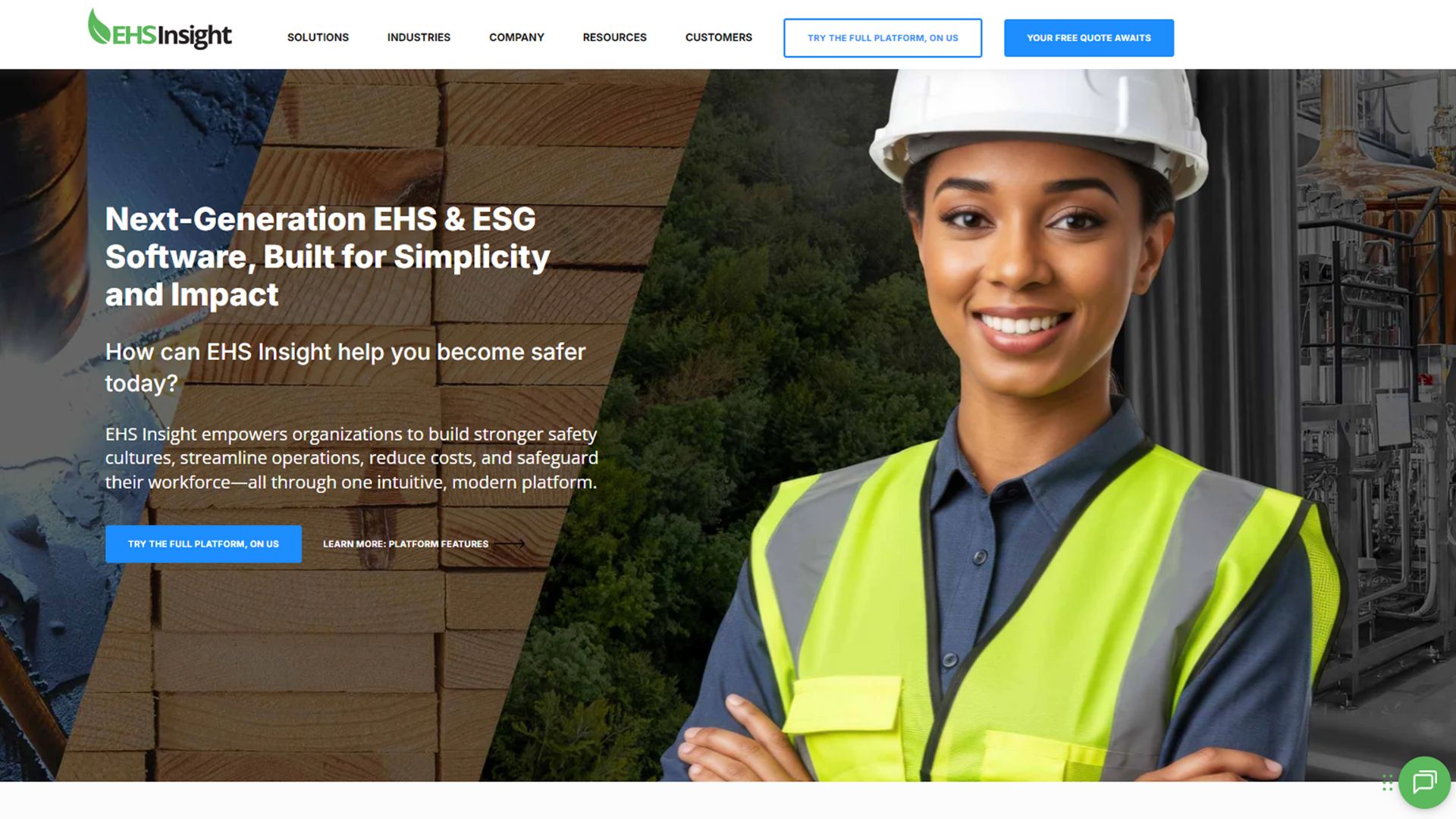
EHS Insight is a comprehensive environmental, health, and safety (EHS) management platform designed to simplify OSHA compliance. It centralizes incident reporting, audits, inspections, and safety training while providing real-time dashboards to track hazards, trends, and regulatory adherence.
Key Features:
- Safety Audit Management: Schedule, conduct, and track OSHA inspections and audits with automated reminders and standardized checklists.
- Incident & Hazard Tracking: Log workplace incidents, near misses, and hazards, assign corrective actions, and monitor resolution progress.
- Training & Certification Tracking: Manage employee training, track certifications, and ensure compliance with OSHA and company safety requirements.
- Customizable Dashboards & Reports: Gain real-time insights into safety performance, trends, and high-risk areas.
- Risk Assessment & Mitigation: Identify potential hazards, assign responsibilities, and track corrective measures to prevent future incidents.
- Mobile Access: Conduct inspections, capture evidence, and log incidents directly from mobile devices for on-the-go compliance.
Best Fit For: Mid to large-scale organizations looking to manage OSHA compliance, safety audits, and incident reporting with a single, scalable platform.
Pricing: Custom pricing based on modules and organizational size.
Trial/Demo: Offers a 14-day free trial. Demo available on request.
3. EcoOnline
Source:- https://www.ecoonline.com/
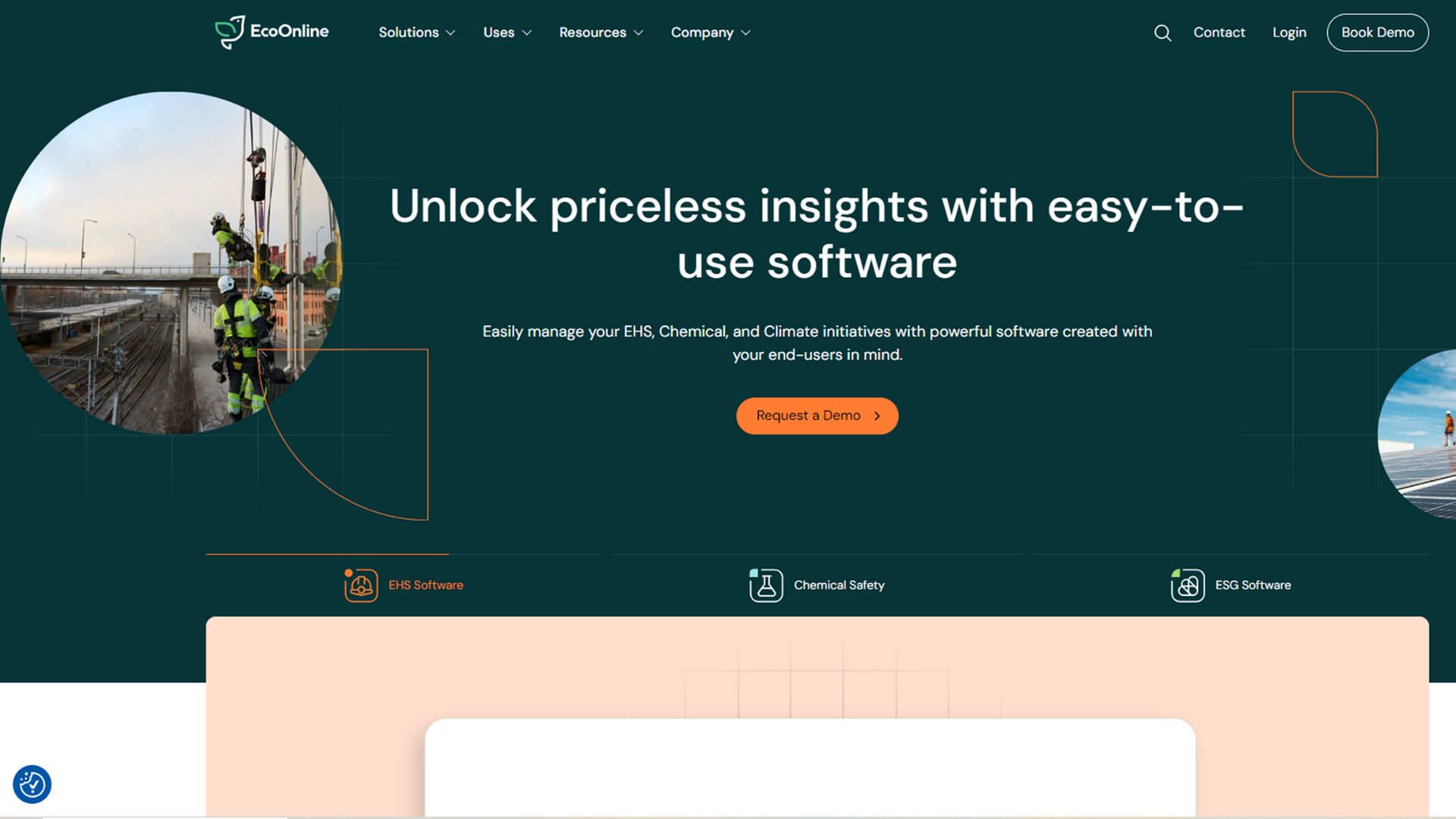
EcoOnline is a cloud‑based EHS (Environment, Health, & Safety) management platform designed to support OSHA compliance, chemical safety, audits/inspections, and risk oversight across multiple sites. It helps organizations centralize safety data, streamline reporting, and improve proactive risk management.
Key Features:
- Audit & Inspection Management: Create, schedule, and execute safety audits and inspections across sites.
- Incident & Risk Tracking: Capture incidents, near‑misses, hazards, and track corrective actions.
- Training & Certification Management: Record employee trainings, certifications, and refreshers tied to compliance obligations.
- Mobile & Offline Access: Frontline teams can report hazards, audits, and actions via mobile devices even offline.
- Custom Dashboards & Analytics: Real‑time insights, trending analytics, and data visualization for decision‑making.
- Control of Work & Contractor Management: Manage permits‑to‑work, lone‑worker safety, contractor safety tracking, and compliance.
Best Fit For: Mid‑ to large‑scale organizations (especially in manufacturing, chemicals, utilities, multi‑site operations) that need a robust EHS solution spanning audits, incident reporting, training, and contractor/permit management.
Pricing: Custom pricing based on modules, users, and deployment scale.
Trial/Demo: No option for a free trial. Demo available on request.
Also read: EHS Compliance Management: Essential Guide and Best Practices
4. RiskWatch
Source:- https://www.riskwatch.com/
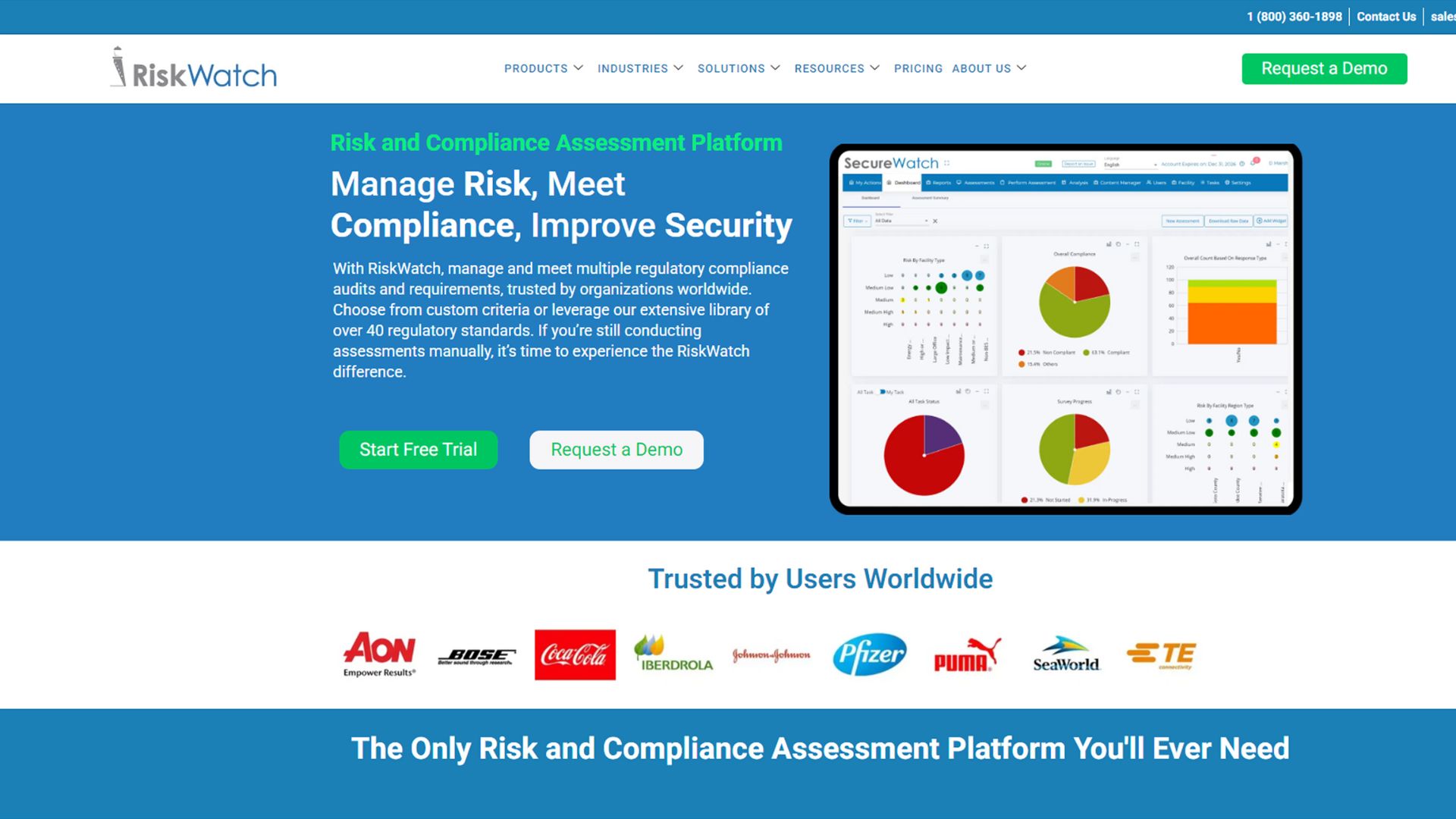
RiskWatch is a comprehensive software solution designed for risk assessment and compliance across multiple domains, including workplace safety and OSHA regulations. It helps organizations centralize risk data, streamline audits, and maintain continuous regulatory compliance.
Key Features:
- Audit & Inspection Automation: Supports scheduling, execution, and tracking of audits across sites with mobile access and offline capability.
- Risk Identification & Scoring: Enables quantification of hazards via likelihood and impact metrics with real-time dashboards.
- Pre-Built Content Libraries: Offers over 40 ready-to-use regulatory frameworks to accelerate setup.
- Corrective Action & Task Tracking: Assigns remediation tasks, tracks completion, and links to audit evidence in one platform.
- Centralized Document & Evidence Repository: Stores policy documents, assessment records, and incident logs while supporting robust reporting for audits.
- Customizable Dashboards & Trend Analytics: Visualizes risk performance over time and assists with ongoing improvement and audit readiness.
Best Fit For: Organizations of medium to large scale, especially those in regulated industries such as manufacturing, utilities, food and beverage, or multi-site operations looking for a scalable platform to manage safety audits, risk assessments, supplier compliance, and regulatory controls.
Pricing: Custom.
Trial/Demo: Offers a trial of key modules. Demo available on request.
5. Compliancy Group
Source:- https://go.compliancygroup.com/
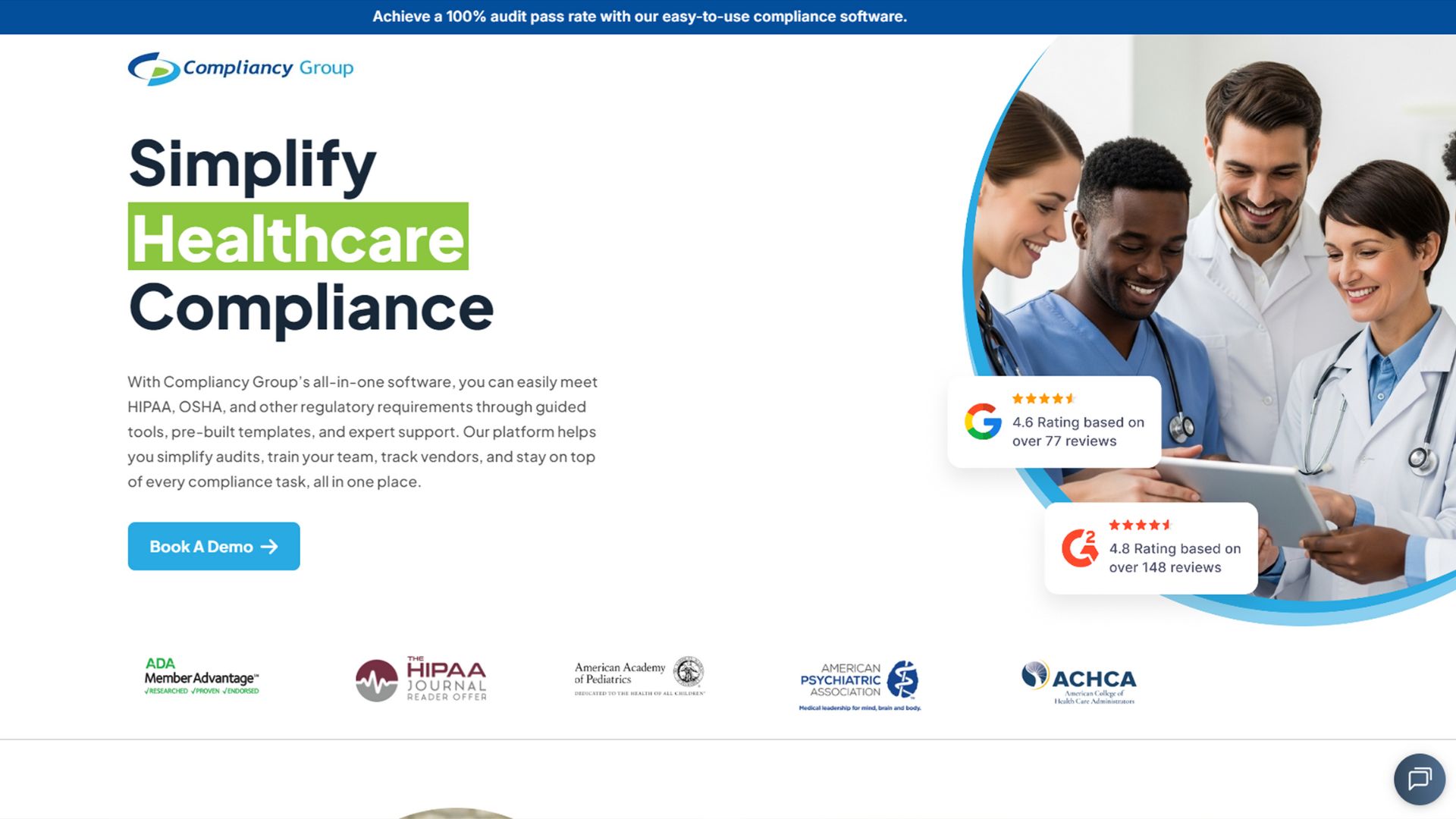
Compliancy Group offers a cloud‑based compliance management platform, primarily designed for the healthcare sector but with support for OSHA requirements as well. Their software consolidates policies, training, incident reporting, and regulatory oversight into one configurable tool.
Key Features:
- Policy Manager: Over 100 ready‑to‑use policy templates for HIPAA, OSHA, SOC 2, and custom programs.
- Compliance Training: Tracks and manages employee training, certifications, and attestations across frameworks.
- Incident & Risk Management: Ticketing, anonymous reporting, corrective action tracking, and risk assessments.
- Vendor & Document Oversight: Monitors vendor compliance, exclusions, and third‑party documents for regulatory alignment.
- Snapshot Dashboard & Reporting: A unified view of compliance status, actionable items, and audit‑ready documentation.
Best Fit For: Small to mid‑sized healthcare practices, clinics, and service providers that need to manage OSHA (medical/dental), HIPAA, and SOC 2 compliance from one platform.
Pricing: Pricing starts at $99/month.
Trial/Demo: No free trial. Demo available.
6. Safety Mojo
Source:- https://getmojo.ai/
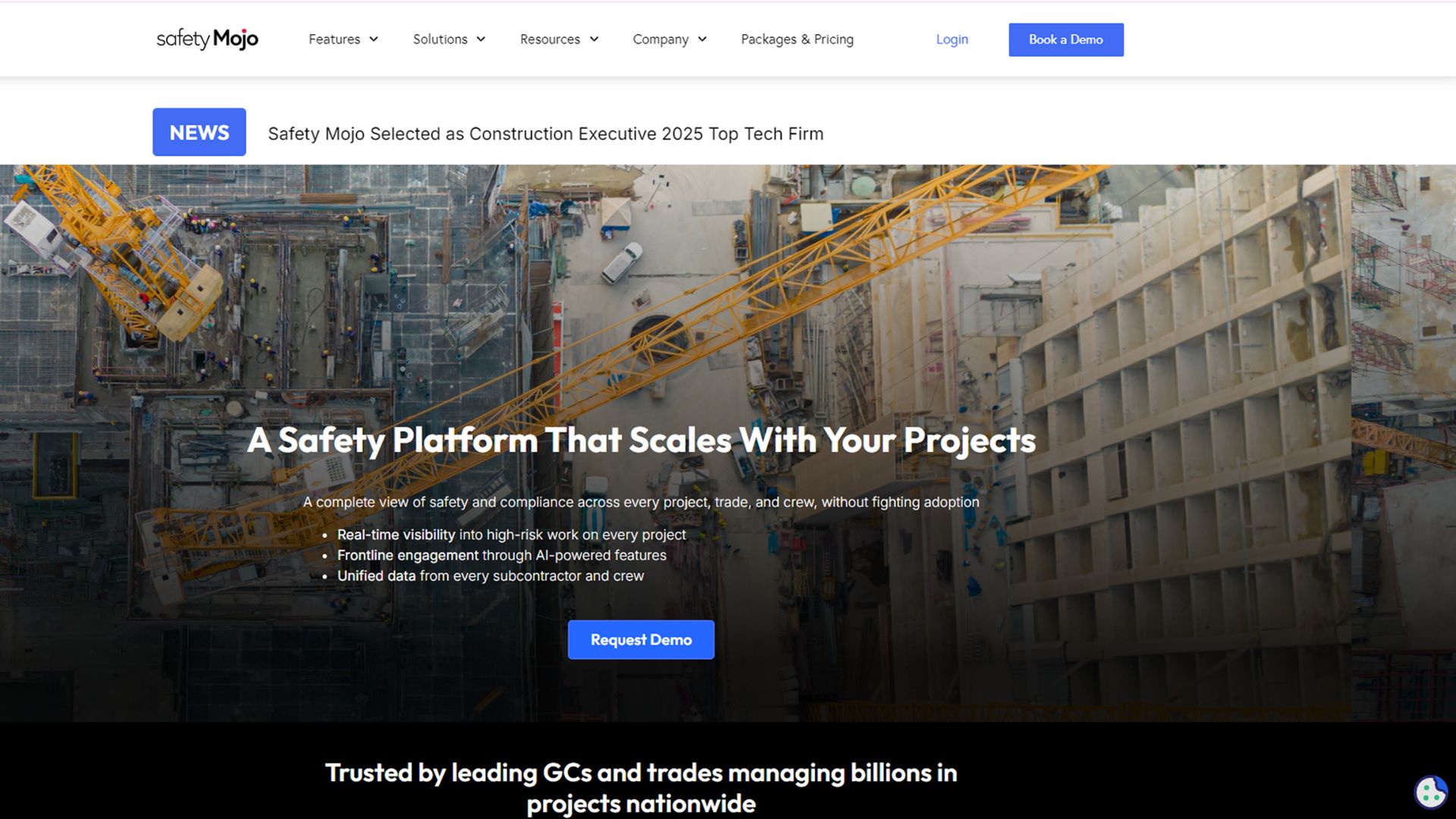
Safety Mojo is an AI‑enabled safety management platform built for high‑risk industries such as construction, manufacturing, and field services. It supports OSHA compliance through digital inspections, hazard tracking, mobile reporting, and real‑time analytics aligned with safety standards.
Key Features:
- Digital Forms & Inspections: Enables front‑line workers to complete audits, hazard observations, and PTP/JSA forms via mobile or tablet.
- AI‑Driven Risk Scoring: Automatically evaluates submitted job/task hazard plans for completeness and quality, flagging high‑risk tasks for management review.
- Real‑Time Dashboards & Analytics: Provides visibility into safety performance, trending data, and subcontractor/crew scorecards to support proactive decisions.
- Incident & Near‑Miss Management: Log incidents, track corrective actions, and maintain audit trails to support OSHA documentation and preventive improvement.
- Mobile & Multi‑Language Support: Frontline accessibility via smartphone/tablet with support for multiple languages and easy onboarding for crews.
Best Fit For: Organizations in construction, subcontracting, manufacturing, or field‑services environments that need mobile‑first inspection tools, subcontractor oversight, and real-time hazard/incident visibility.
Pricing: Custom pricing based on modules and user base.
Trial/Demo: Live demo available on request. No free trial offerings.
Each solution brings a different mix of automation, analytics, and scalability. The best fit depends on your safety priorities, compliance complexity, and workforce structure. Let’s look at the most frequent challenges organizations face when deploying safety audit software.
Challenges in Implementing OSHA Compliance and Safety Audit Software
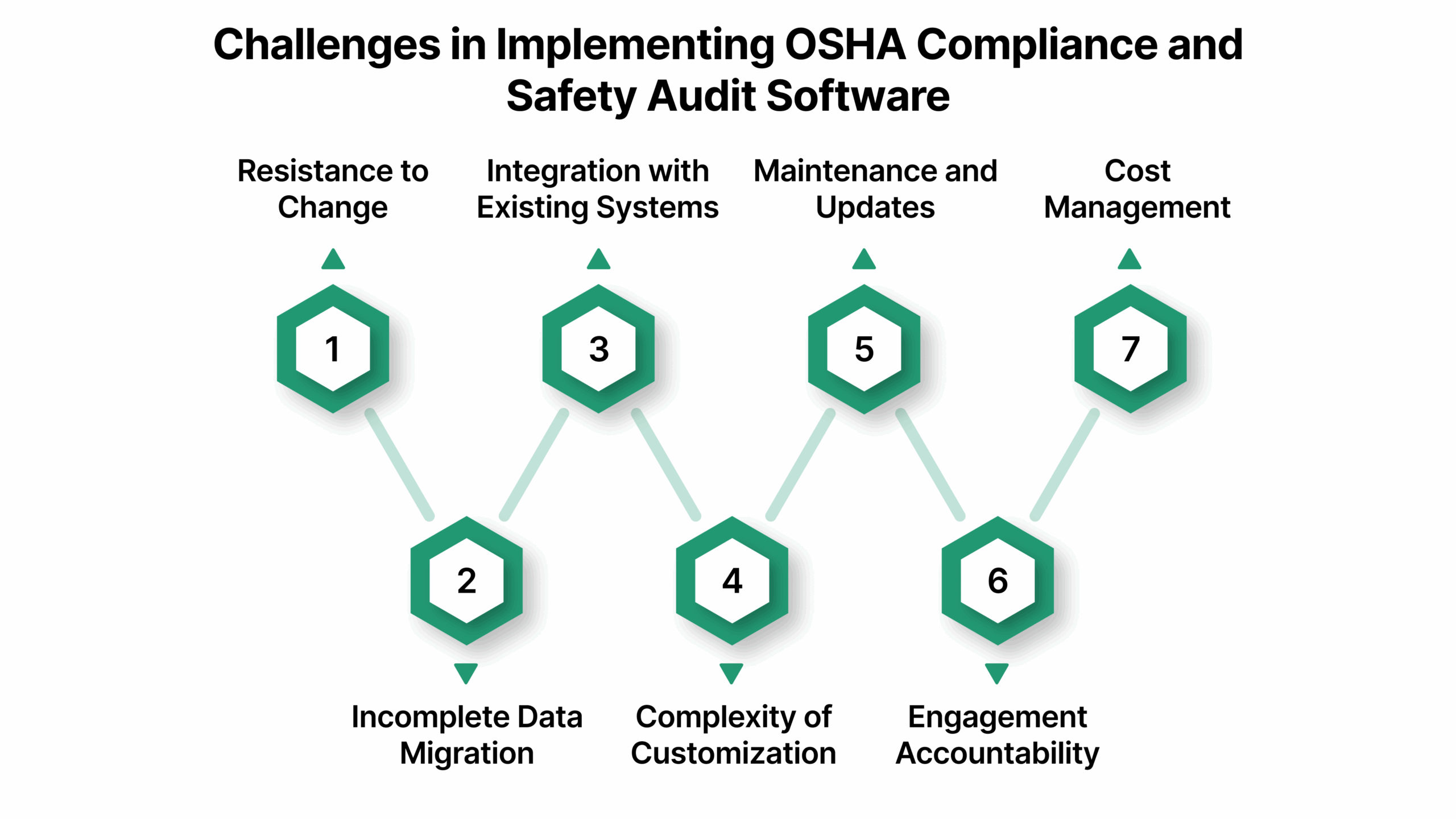
Implementing OSHA compliance and safety audit software can be transformative, but organizations often face hurdles that slow adoption or reduce effectiveness. Understanding these challenges upfront helps plan for smoother deployment and stronger ROI.
1. Resistance to Change
Employees accustomed to spreadsheets, paper checklists, or legacy systems may resist adopting new software. Without proper training and communication, adoption can be slow and compliance data incomplete.
2. Incomplete or Poor Data Migration
Transferring existing audit records, incident logs, and safety documentation into a new system can be complex. Missing or inaccurate data can compromise dashboards, reporting, and regulatory compliance.
3. Integration with Existing Systems
OSHA compliance software often needs to integrate with HR, ERP, or maintenance management systems. Lack of seamless integration can lead to duplicate data entry, errors, and workflow inefficiencies.
4. Complexity of Customization
Organizations have unique workflows, reporting requirements, and regulatory obligations. Configuring software to align with internal processes without overcomplicating it can be challenging.
5. Ongoing Maintenance and Updates
Compliance standards, OSHA regulations, and internal safety protocols evolve. Ensuring the software stays up-to-date and reflects current policies requires continuous monitoring and support.
6. Ensuring User Engagement and Accountability
Even with software in place, compliance depends on employees completing inspections, logging incidents, and responding to alerts. Lack of accountability can reduce the software’s effectiveness and create blind spots.
7. Cost and Resource Allocation
Implementing a new platform requires upfront investment, IT support, and training resources. Organizations with limited budgets may struggle to dedicate sufficient resources for a full rollout.
These challenges highlight that successful implementation requires careful planning, stakeholder engagement, and ongoing support to realize the full benefits of OSHA compliance and safety audit software.
Also read: Construction Safety and Compliance Management Software Solutions
Best Practices for Implementing OSHA Compliance and Safety Audit Software
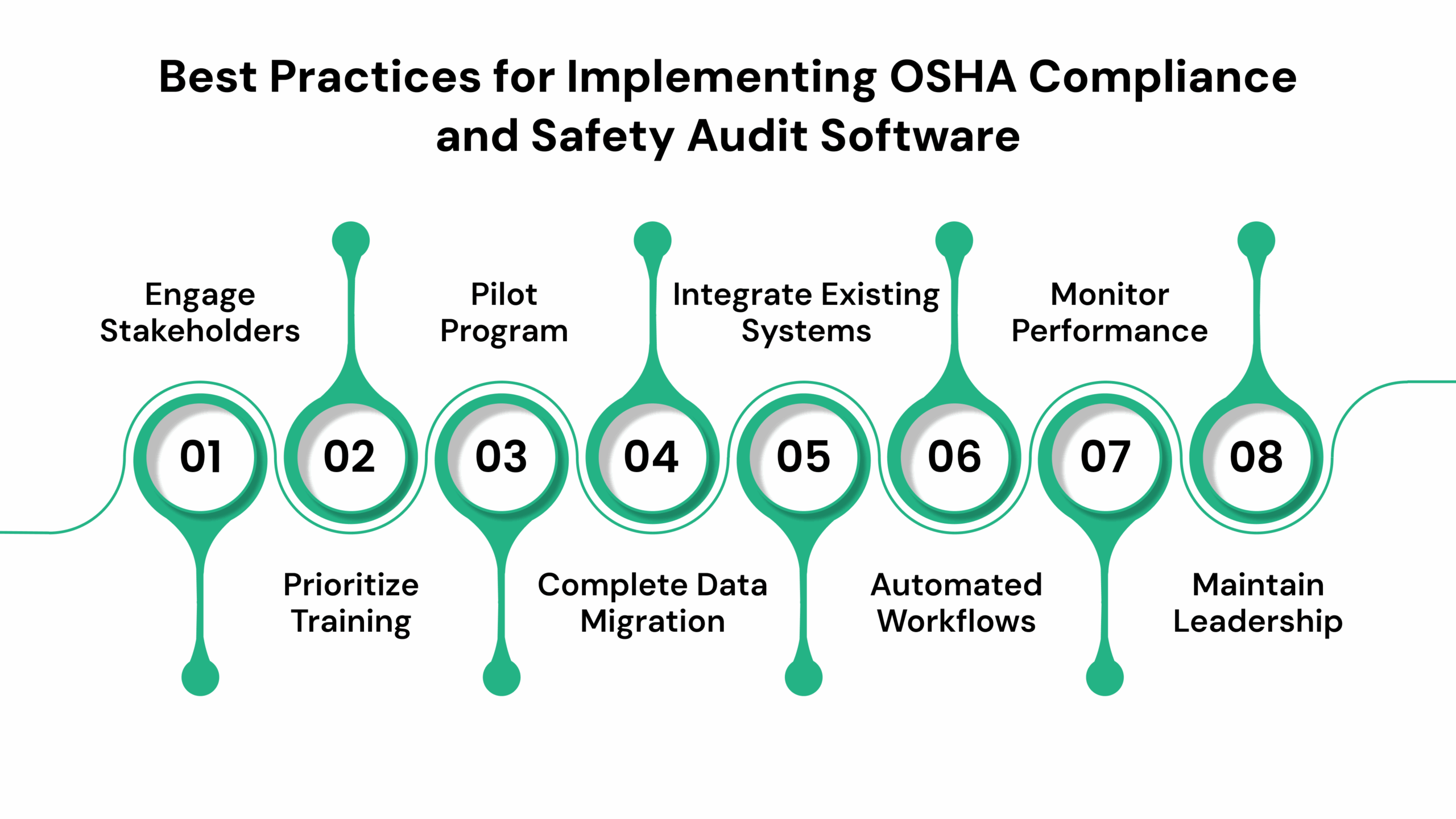
To maximize the value of OSHA compliance and safety audit software, organizations should adopt a structured approach. Following these best practices ensures higher adoption, better data accuracy, and stronger compliance outcomes.
- Engage Stakeholders Early: Involve safety officers, HR, operations, and frontline employees from the start. Collect feedback on workflows, reporting needs, and pain points to ensure the system supports real-world processes.
- Prioritize Training and Change Management: Provide role-specific training sessions, user manuals, and refresher courses. Encourage adoption through clear communication about benefits, responsibilities, and expectations.
- Start with a Pilot Program: Test the software in a single department or location before a full rollout. This helps identify configuration issues, integration gaps, and user challenges without disrupting company-wide operations.
- Ensure Clean and Complete Data Migration: Audit existing records and standardize formats before migrating. Accurate, comprehensive data ensures dashboards, alerts, and reports are reliable from day one.
- Integrate with Existing Systems: Connect the OSHA compliance software with HR, ERP, maintenance, and other relevant platforms. Integration reduces duplicate work, improves accuracy, and provides a unified view of safety performance.
- Configure Alerts and Automated Workflows: Set up automated reminders for inspections, training, certifications, and corrective actions. Automated workflows improve accountability and ensure timely compliance.
- Monitor Performance and Continuous Improvement: Regularly review audit reports, non-conformance trends, and KPIs. Use insights to refine workflows, identify training gaps, and update policies, fostering a proactive safety culture.
- Maintain Leadership Oversight: Senior management should regularly review dashboards, trends, and risk metrics. Visible leadership engagement reinforces accountability and drives compliance across the organization.
Following these practices helps organizations not only meet OSHA requirements but also embed safety into daily operations, reducing risk, improving efficiency, and creating a culture of continuous improvement.

Final Thoughts
Implementing OSHA compliance and safety audit software is an opportunity to streamline safety workflows, reduce risks, and build a proactive workplace culture. By choosing the right tool, following best practices, and embedding compliance into daily operations, organizations can prevent accidents, ensure audit readiness, and drive operational efficiency.
For teams looking to centralize safety management, automate audits, and gain real-time visibility into workplace hazards, VComply offers a robust, AI-powered solution. From task tracking to alerts, dashboards, and evidence collection, it keeps compliance simple, accountable, and always audit-ready.
Book a demo today and see how VComply can transform your OSHA compliance and safety audit processes.
FAQs
OSHA compliance software is a digital platform that helps organizations manage workplace safety, track hazards, automate audits, and maintain compliance with OSHA regulations. It replaces manual tracking and spreadsheets with real-time monitoring and reporting.
Any organization with workplace safety obligations, including manufacturing, construction, healthcare, and energy sectors, can benefit. It’s particularly useful for multi-site operations or companies with complex safety workflows.
Yes. Most platforms, including VComply, integrate with ERP, HR, quality, and productivity tools, making safety management part of daily workflows.
It centralizes documentation, tracks task completion, automates reminders, and generates reports, ensuring all OSHA requirements are met before inspections or audits.
Many platforms offer integrated training management, allowing organizations to assign courses, track completion, and maintain certification records digitally.