

Bring VComply straight into your GPT conversations
Connect the VComply MCP Server to GPT and ask about responsibilities, compliance performance, and programs in plain English — no dashboard required.

Official integration · Secured with VComply sign-in · Server: mcp.v-comply.com/mcp
Why connect VComply to GPT
The VComply MCP Server turns your compliance data into something GPT can read, summarize, and act on — securely, and in real time.
Ask in plain English
"What responsibilities are pending from my side?" is enough — GPT finds the right VComply tool and answers with your live data.
Secure by design
Every session authenticates through your own VComply sign-in. GPT never sees or stores your credentials.
Fits your workflow
No new tab, no new login screen to remember. Governance and compliance questions get answered right where you're already working.
Before you begin
A quick checklist to make sure the connection goes smoothly.
Prerequisites
- A valid VComply user account
- Access to a GPT account
- Signed out of VComply beforehand, so you can validate the authentication flow during setup
- The VComply MCP Server running and accessible
- The MCP server URL and configuration details on hand
Set up the VComply MCP connector
Four steps, done once per account.
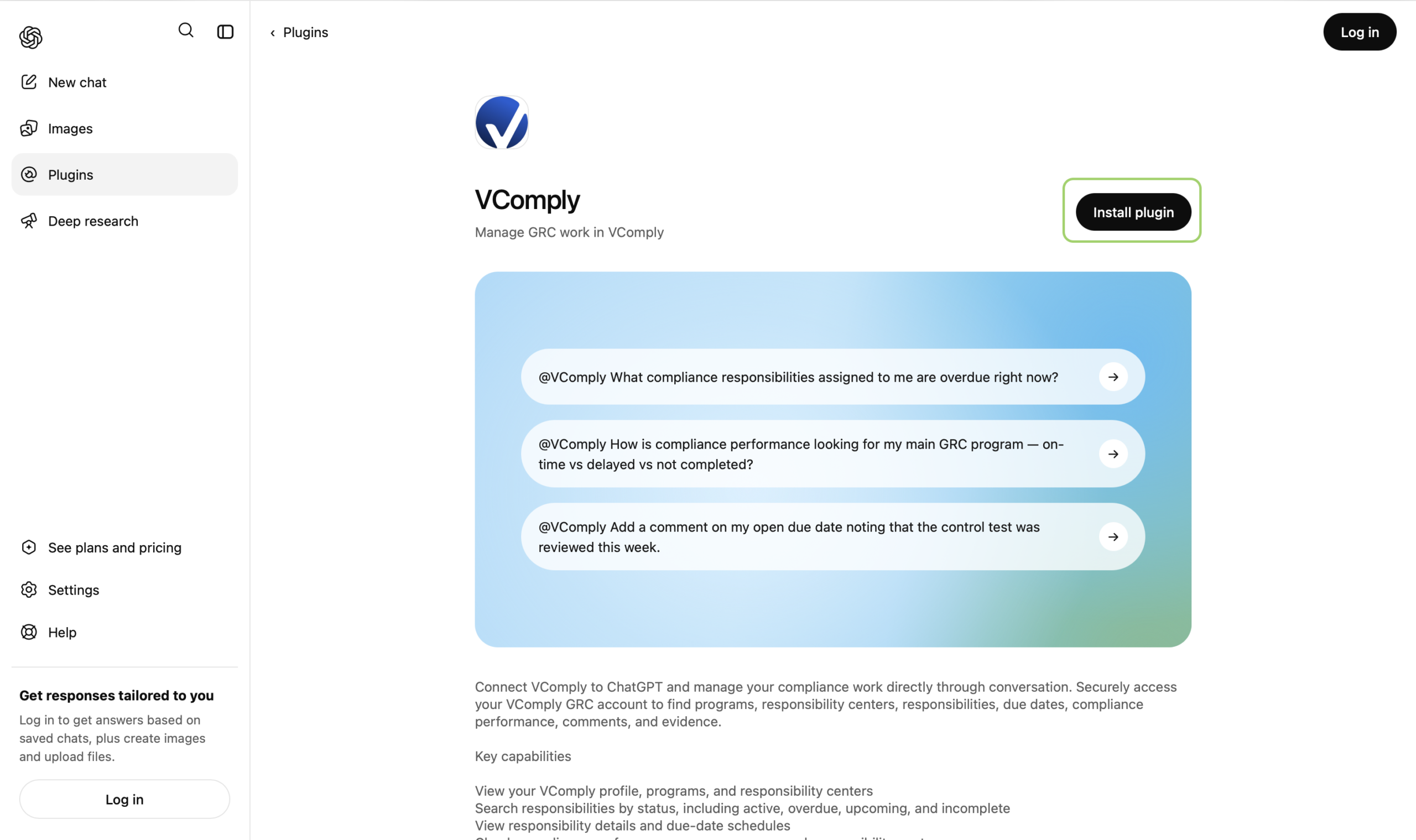
Install the VComply plugin
Open the VComply plugin page in ChatGPT and start the installation.
- Open the VComply plugin page click here.
- Review the plugin details and example prompts.
- Click Install plugin.
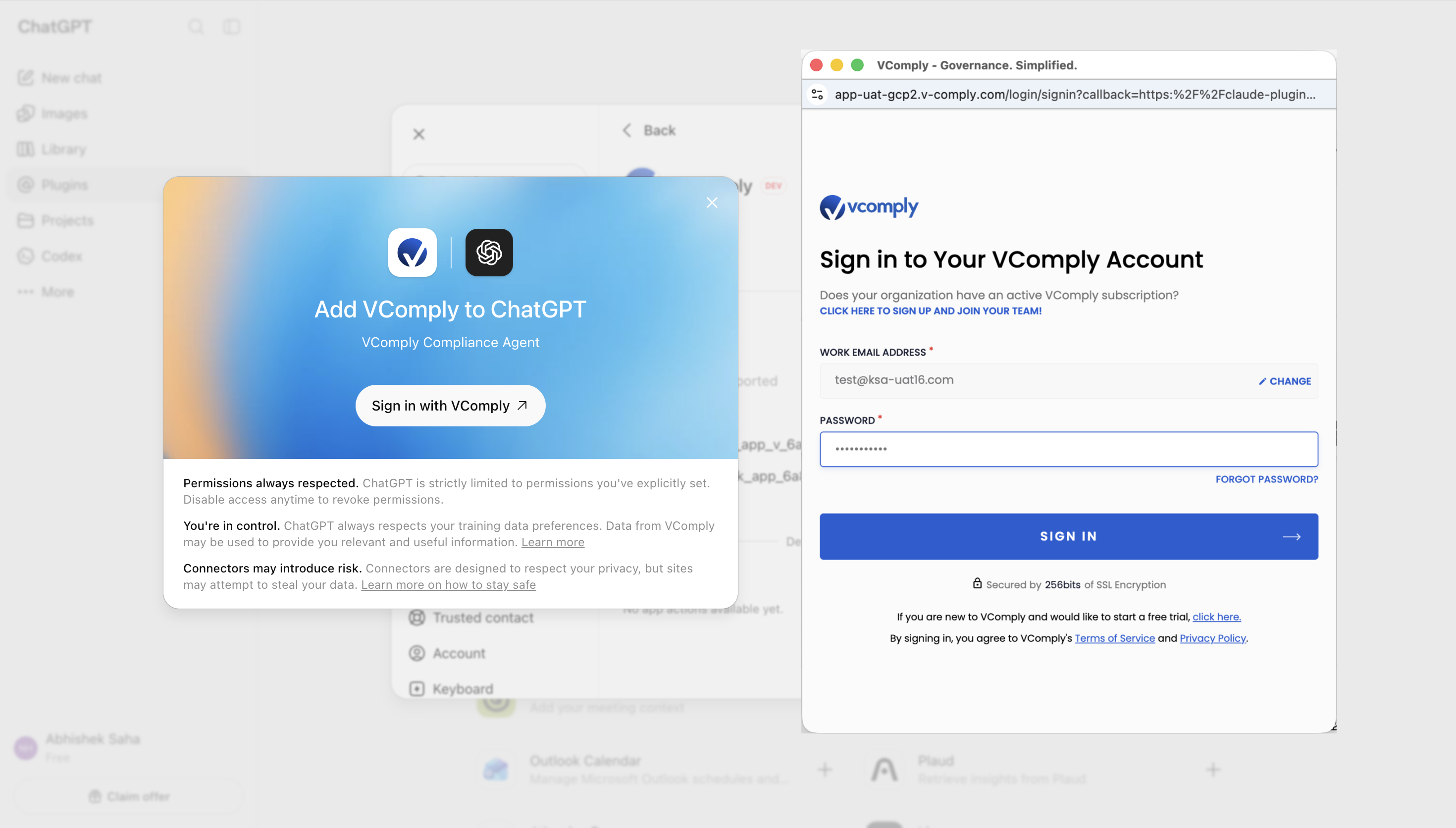
Sign in with VComply
ChatGPT opens an authorization screen so you can connect your VComply account.
- Click Sign in with VComply.
- A VComply sign-in window opens on the right.
- Enter your VComply work email and password, then click Sign In.
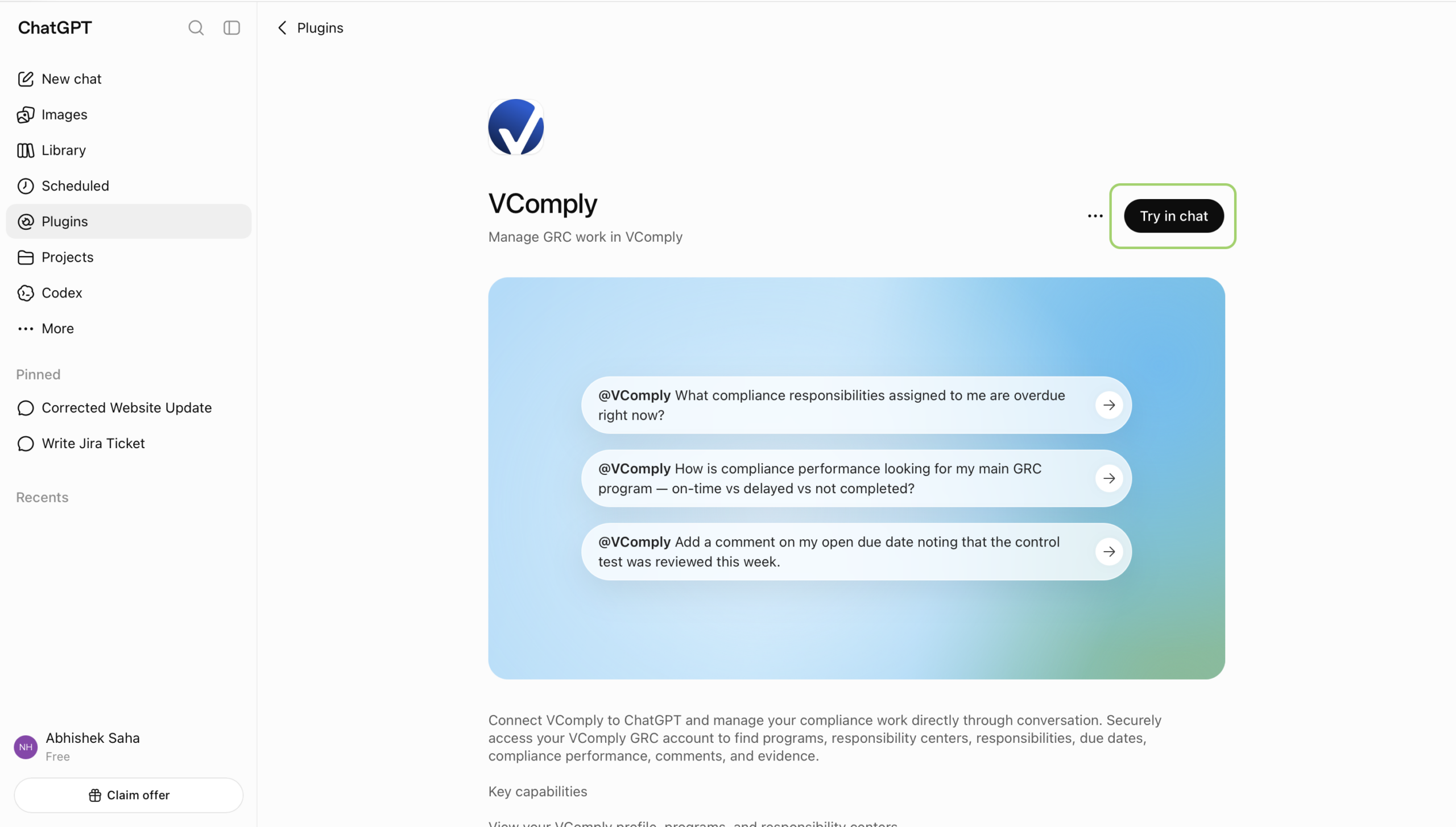
Try VComply in chat
After VComply is installed and connected, open a chat from the plugin page.
- Return to the VComply plugin page if you are not already there.
- Click Try in chat.
- ChatGPT opens a new conversation with VComply ready to use.
Start chatting with VComply
Setup is complete. You can now ask GPT questions about your VComply data using your own prompts.
Try a question
What programs do I have access to in VComply?
GPT will call the VComply plugin and return the relevant information.
Other examples
- What responsibilities are pending from my side?
- Show me my overdue responsibilities.
- What compliance tasks are due today?
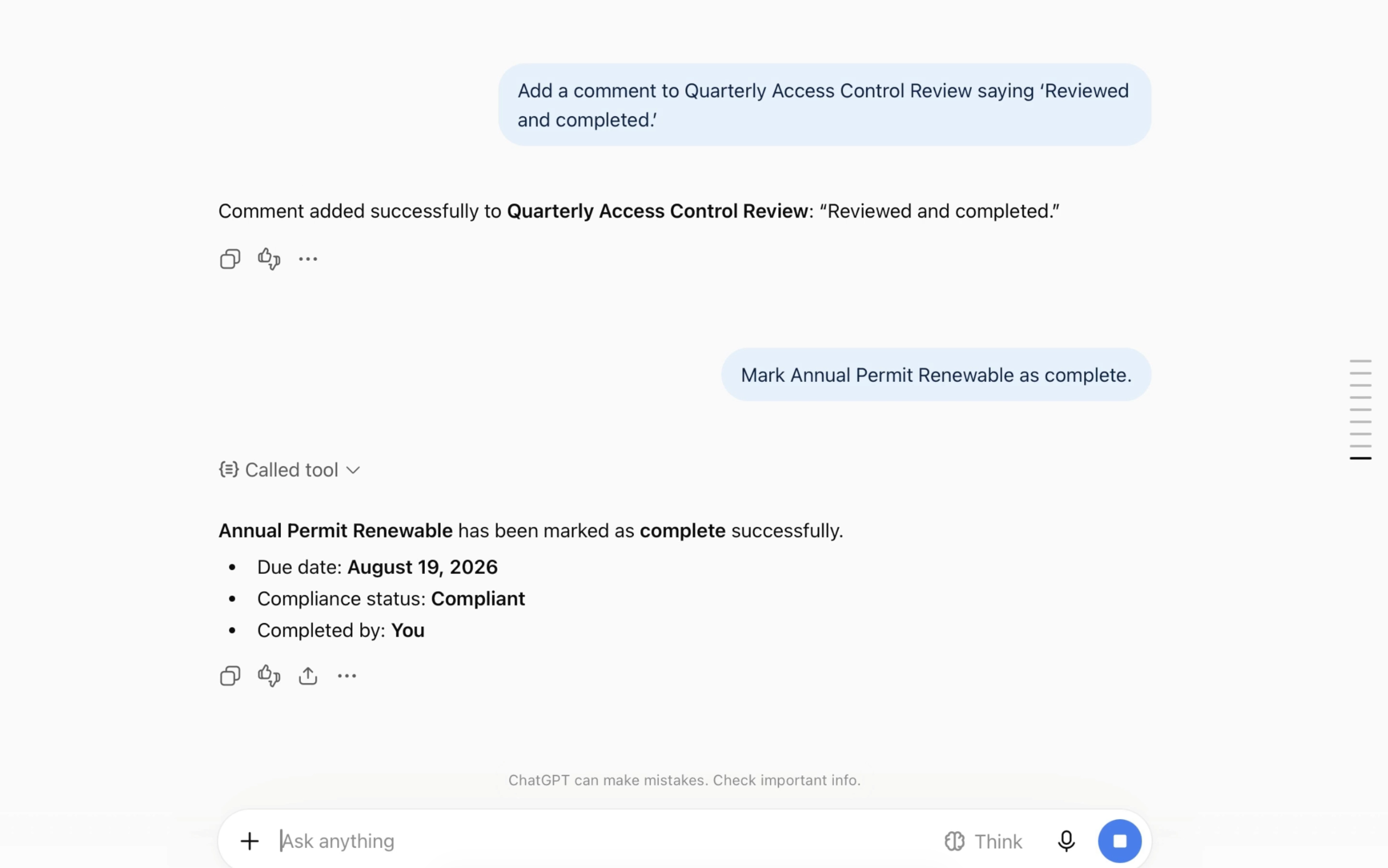
What GPT can do with VComply
9 tools are exposed by the VComply MCP Server, including:
List Responsibilities
See every responsibility assigned to you, with due dates and status.
Get Responsibility Details
Pull the full detail on any responsibility without leaving the chat.
Mark Responsibility Complete
Close out a finished responsibility directly from GPT.
Add Responsibility Comment
Log an update or note on a responsibility as you work through it.
List Responsibility Centers
Browse the responsibility centers configured in your account.
List Programs
Get a quick overview of the compliance programs you're enrolled in.
Get Compliance Performance
Check compliance and performance scoring at a glance.
Get Current User
Confirm the authenticated VComply identity GPT is acting on behalf of.
Permissions for each tool can be managed from the VComply plugin details in ChatGPT — see step 4 above.
One question, your live VComply data
Once connected, a simple question like "What responsibilities are pending from my side?" returns overdue items, what's due today, and what's next — pulled straight from VComply.
Frequently asked questions
Is my VComply data secure?
Yes. GPT connects through your own VComply sign-in over SSL, the same login you use on v-comply.com. GPT never stores your VComply password.
Do I need to sign out of VComply first?
It's recommended for your first setup. Signing out beforehand lets you confirm the authentication prompt and sign-in redirect are working as expected.
What is the VComply MCP Server URL?
Use when adding the custom connector in GPT.
Ready to Simplify Compliance?
Stop juggling spreadsheets and scattered tools.
Join the 500+ teams modernizing compliance with VComply’s all-in-one GRC platform.