

Top 10 Internal Audit Management Software in the US: 2026 Comparison
Internal audits in US organizations don’t fail because teams don’t know what to test. They fail when evidence is scattered, ownership is unclear, and follow-ups stall after walkthroughs.

As SOX and HIPAA scrutiny increases, audit leaders are expected to show not just that controls exist, but that they are tested, documented, and remediated on time.
Spreadsheets and email chains make this difficult once audits run in parallel and involve multiple business owners. Internal audit management software exists to solve these execution gaps by enforcing structure, accountability, and traceability across the audit lifecycle.
This guide compares the internal audit tools that actually support audit execution in the US, not just documentation.
Key Takeaways
- Internal audit management software centralizes audit planning, execution, evidence, and reporting across the audit lifecycle.
- Manual audit processes increase risk through inconsistent documentation, delayed remediation, and limited executive visibility.
- The best tools automate workflows, maintain defensible audit trails, and track findings through closure.
- Different platforms support different audit maturities, from small internal audit teams to enterprise programs.
- Choosing the right solution improves audit efficiency, strengthens assurance, and supports regulatory compliance.
What Is Internal Audit Management Software?
Internal audit management software helps organizations plan, execute, document, and report on internal audits in a centralized system.
These platforms replace spreadsheets and email-driven processes with structured workflows for audit scheduling, task assignments, evidence collection, and findings management. Audit teams can standardize methodologies while maintaining flexibility across different audit types and departments.
Internal audit management software also creates clear audit trails that support regulations such as SOX, HIPAA, and industry-specific requirements. Every test, observation, and remediation action is time-stamped and traceable, making audits easier to defend during regulatory reviews or external examinations.
By automating documentation and follow-ups, these tools reduce administrative overhead and allow auditors to focus on risk assessment, control effectiveness, and continuous improvement. As audit expectations increase, internal audit software becomes essential for maintaining credibility and operational assurance.
Also Read: Understanding How Internal Audits Work

Top 10 Internal Audit Management Software in the US
Compare leading internal audit management tools based on audit lifecycle automation, evidence quality, remediation tracking, and executive visibility.
1. VComply
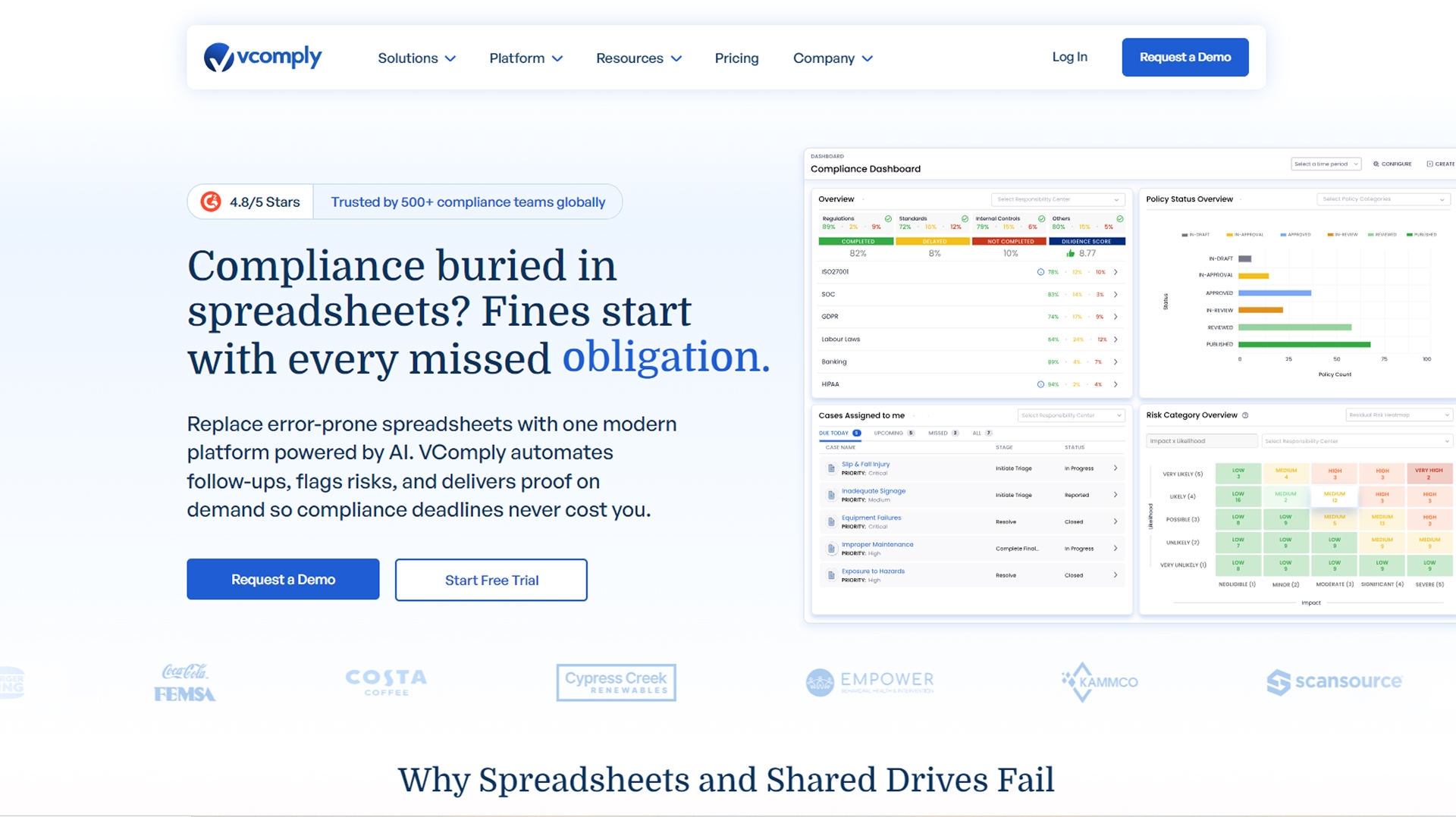
VComply is an execution-focused internal audit and GRC platform built for organizations that need audits to actually get completed, not just planned or documented. It replaces spreadsheets, email follow-ups, and scattered evidence with structured workflows that enforce ownership, deadlines, and traceability across the audit lifecycle.
Unlike tools that emphasize audit planning or reporting layers, VComply is designed for teams struggling with real-world audit breakdowns, late evidence, unclear ownership, stalled remediation, and pressure to prove SOX or HIPAA readiness on demand. Audits, risks, controls, and policies are all connected, so findings move directly into remediation instead of living in static reports.
Key Features:
- End-to-End Internal Audit Workflows: Plan audits, assign testing activities, collect evidence, review workpapers, and track findings through closure in one system. Every step is time-stamped and traceable, which reduces last-minute audit scrambling.
- Audit-Ready Evidence Repository: Centralized storage for workpapers, screenshots, reports, and supporting documentation. Evidence is version-controlled and linked directly to audit tasks and findings, making regulator and external auditor requests easier to satisfy.
- Risk & Control Integration: Audit findings connect directly to risks and controls, helping teams prioritize remediation based on impact and reduce repeat findings year over year.
- Automated: Ownership, Alerts, and Escalations: Clear task ownership for auditors and business users, with automated reminders and escalations that prevent audits from stalling after fieldwork.
- Real-Time Dashboards and Audit Visibility: Live views into audit status, overdue actions, remediation progress, and risk exposure, giving audit leaders and executives immediate clarity without manual reporting.
- Policy and Compliance Alignment: Audits can be tied to policies, controls, and regulatory frameworks such as SOX and HIPAA, strengthening defensibility and ensuring consistency across audits.
Best For:
VComply is best suited for mid-market and growing US organizations running SOX, HIPAA, or recurring internal audits where multiple teams are involved, and execution gaps create risk. It works especially well for audit and compliance leaders who want a single platform to manage audits, evidence, and remediation without the complexity of heavyweight enterprise GRC systems.
G2 Rating: 4.6 / 5
Pricing: Starts at $1,000/month for the Pro GRC Suite.
Trial/Demo: Free demo available on request; 21-day trial available on request.
2. AuditBoard

AuditBoard is a widely used, enterprise-grade internal audit, risk, and compliance platform that unifies audit lifecycles with broader GRC functions. Designed to support large and distributed audit teams, it emphasizes connected risk insights, continuous auditing, and collaboration across audit, risk, and compliance activities. Trusted by many Fortune 500 companies, it helps internal audit leaders centralize processes, automate repetitive tasks, and gain real-time visibility into audit progress and risk exposure.
Key Features:
- Unified Audit Management: Centralizes planning, fieldwork, documentation, issue tracking, and reporting in one platform.
- AI-powered Automation: Accelerates routine tasks like sample selection, testing workflows, and report generation with AI support.
- Continuous & Risk-Aligned Auditing: Helps teams shift from point-in-time audits to ongoing assurance with real-time risk insights.
- Collaboration & Stakeholder Engagement: Improves cross-team visibility and communication through shared dashboards and task tracking.
- Integrations & Data Connectivity: Connects with third-party systems for richer data sources and workflows.
Best For:
AuditBoard is best suited for large enterprises and mature internal audit functions that need a highly integrated audit and GRC platform to manage complex, multi-framework programs (such as SOX combined with operational and risk audits) across multiple business units.
Because it is built for scale and deep integration, it may be less practical for smaller or mid-market teams whose primary challenge is day-to-day audit execution, evidence collection, and remediation tracking rather than enterprise-wide GRC orchestration.
G2 Rating: 4.6 / 5
Pricing: Custom
Trial / Demo: Demo available on request; no self-serve free trial
3. Workiva

Workiva is a cloud-based audit, risk, and compliance platform best known for its strong collaboration and reporting capabilities. It is widely used by organizations where internal audit is closely tied to financial reporting, SOX controls, and regulatory disclosures. Workiva helps audit teams maintain version control, link data across reports, and collaborate with finance, legal, and external auditors in real time.
Key Features:
- Linked Audit & Reporting Environment: Automatically links data, narratives, and evidence across audit workpapers and reports, reducing manual updates and version conflicts.
- Collaboration & Review Workflows: Supports real-time editing, commenting, and approvals across audit, finance, and compliance teams.
- Strong Audit Trails: Maintains detailed, system-generated audit trails that track every change, review, and approval for defensibility.
- SOX & Financial Reporting Alignment: Well-suited for audits that feed directly into SOX testing, financial statements, and external disclosures.
- Dashboards & Reporting Views: Provides configurable views for monitoring audit progress and reporting status across stakeholders.
Best For: Workiva is best suited for organizations where internal audit work feeds directly into SOX, financial reporting, or regulatory disclosures, and where strong collaboration with finance and external auditors is required.
Teams primarily looking for execution-heavy audit workflows, such as task ownership, remediation tracking, and operational follow-ups, may find Workiva less aligned with their needs.
G2 Rating: 4.5 / 5
Pricing: Custom
Trial / Demo: Demo available on request; no self-serve free trial
4. TeamMate+ (Wolters Kluwer)

TeamMate+ is an end-to-end internal audit management platform from Wolters Kluwer built to support internal audit teams through the complete audit lifecycle, from planning and fieldwork to reporting, issue tracking, and follow-up. It’s widely used across financial services, the public sector, and enterprises where structured audit methodology, documentation consistency, and regulatory defensibility are priorities.
Key Features:
- End-to-End Audit Workflow Management: Supports audit planning, execution, fieldwork, reporting, and audit trail preservation through configurable workflows that adapt as audit programs evolve.
- Resource Planning & Scheduling: Helps audit leaders plan audits against available resources, adjust schedules as priorities change, and monitor progress through role-based dashboards.
- Stakeholder Collaboration: Enables controlled access for auditees and business users to support document requests, issue follow-ups, and audit communication.
- Audit Reporting & Visualization: Produces structured audit reports with charts and visuals tailored for audit committees, leadership, and regulators.
Best For: TeamMate+ is best suited for mid-to-large organizations with formal internal audit functions that prioritize structured workflows, consistent documentation, and standardized reporting.
G2 Rating: 4.2 / 5
Pricing: Custom
Trial / Demo: Demo available on request; no self-serve free trial
5. Onspring

Onspring is a cloud-based internal audit and GRC automation platform that helps audit teams streamline processes, automate workflows, and gain real-time visibility into audit status and findings. Its no-code design lets organizations tailor workflows, dashboards, and reporting without heavy IT dependency, making it a flexible choice for teams that want both audit and broader GRC capabilities in one place.
Key Features:
- Automated, Configurable Workflows: Supports audit planning, task management, multi-level review sign-offs, and final report issuance through repeatable automated processes.
- Unified Audit Data & Findings: Centralizes workpapers, findings, and remediation activities with real-time visibility into audit progress and issue resolution.
- Holistic Visibility & Control: Dashboards and reporting deliver real-time insight into audit status, resource allocation, and remediation metrics.
- Survey & Data Collection Tools: Collect data from internal stakeholders or external auditors to streamline assessments and evidence gathering.
- Secure Collaboration: Granular role-based access and external auditor portals help streamline review and information sharing.
Best For: Organizations that want customizable audit workflows and seamless integration across risk, compliance, and audit reporting.
G2 Rating: 4.7 / 5
Pricing: Available on request, based on platform levels (Bronze, Silver, Gold, Platinum)
Trial / Demo: Demo available on request; no public free trial listed
6. AuditFindings
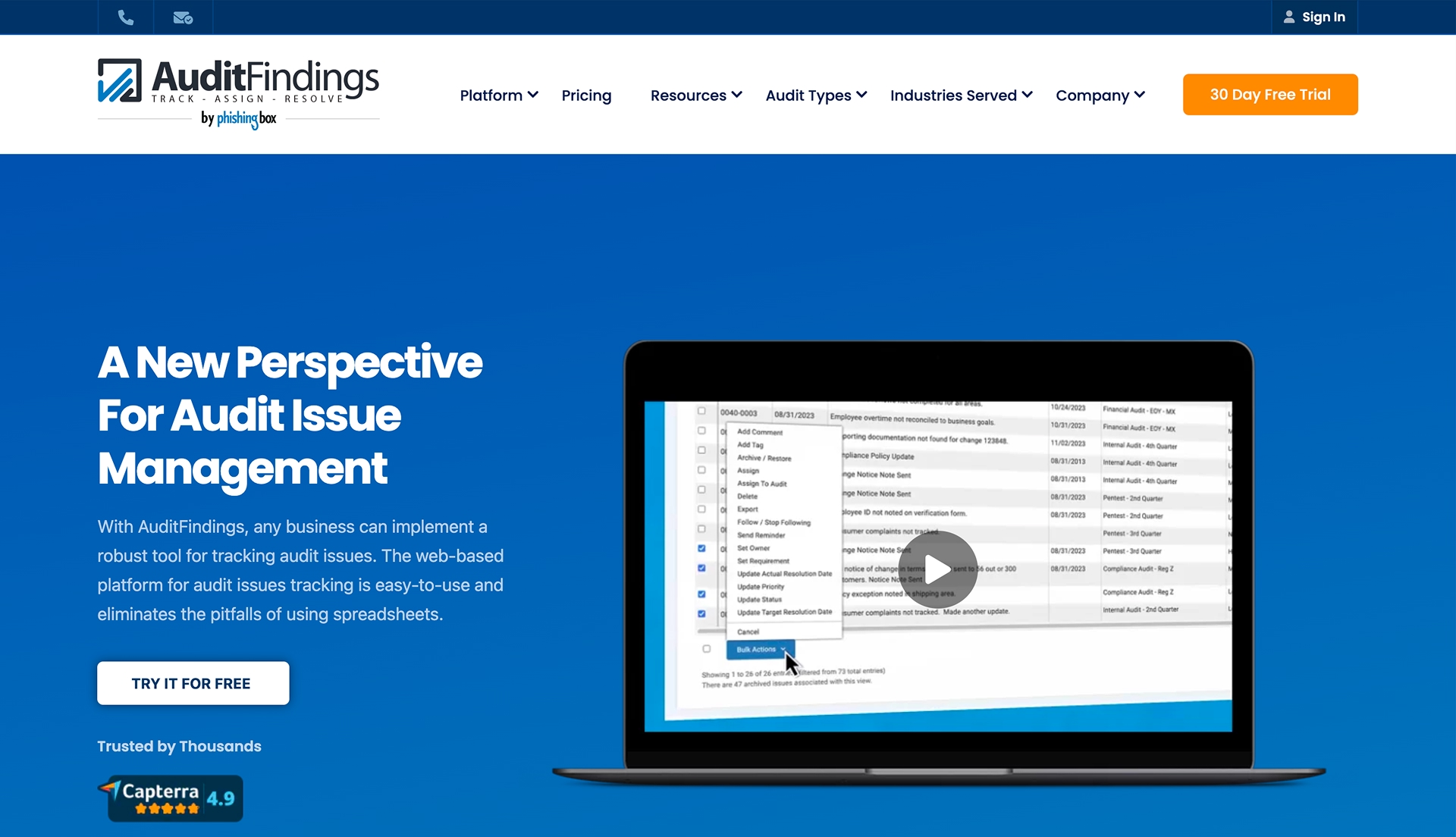
AuditFindings is a lightweight audit issue management tool designed to help teams track findings and corrective actions by audit or compliance review. Rather than managing the full audit lifecycle, it focuses on giving audit teams a clear, organized view of open and closed issues across audits without relying on spreadsheets.
Key Features:
- Issue Tracking by Audit or Review: Organizes findings by individual audits or compliance reviews, making it easy to see issue status in context.
- Quick Access to Audit-Specific Issues: Lets users drill into a single audit to view and manage all related findings and updates in one place.
- Audit Archiving: Completed or older audits can be archived to keep dashboards clean while preserving historical records for reference.
Best For: AuditFindings is best suited for small audit teams or departments that primarily need a simple way to track issues and corrective actions by audit, without full audit planning, testing, or remediation workflows.
Teams looking for end-to-end audit execution, evidence collection, or automated follow-ups across business owners will likely find this tool too limited for their needs.
G2 Rating: N/A
Pricing: $749/month
Trial / Demo: Free trial available
Also Read: How to Perform a Gap Analysis and Internal Audit
7. MetricStream
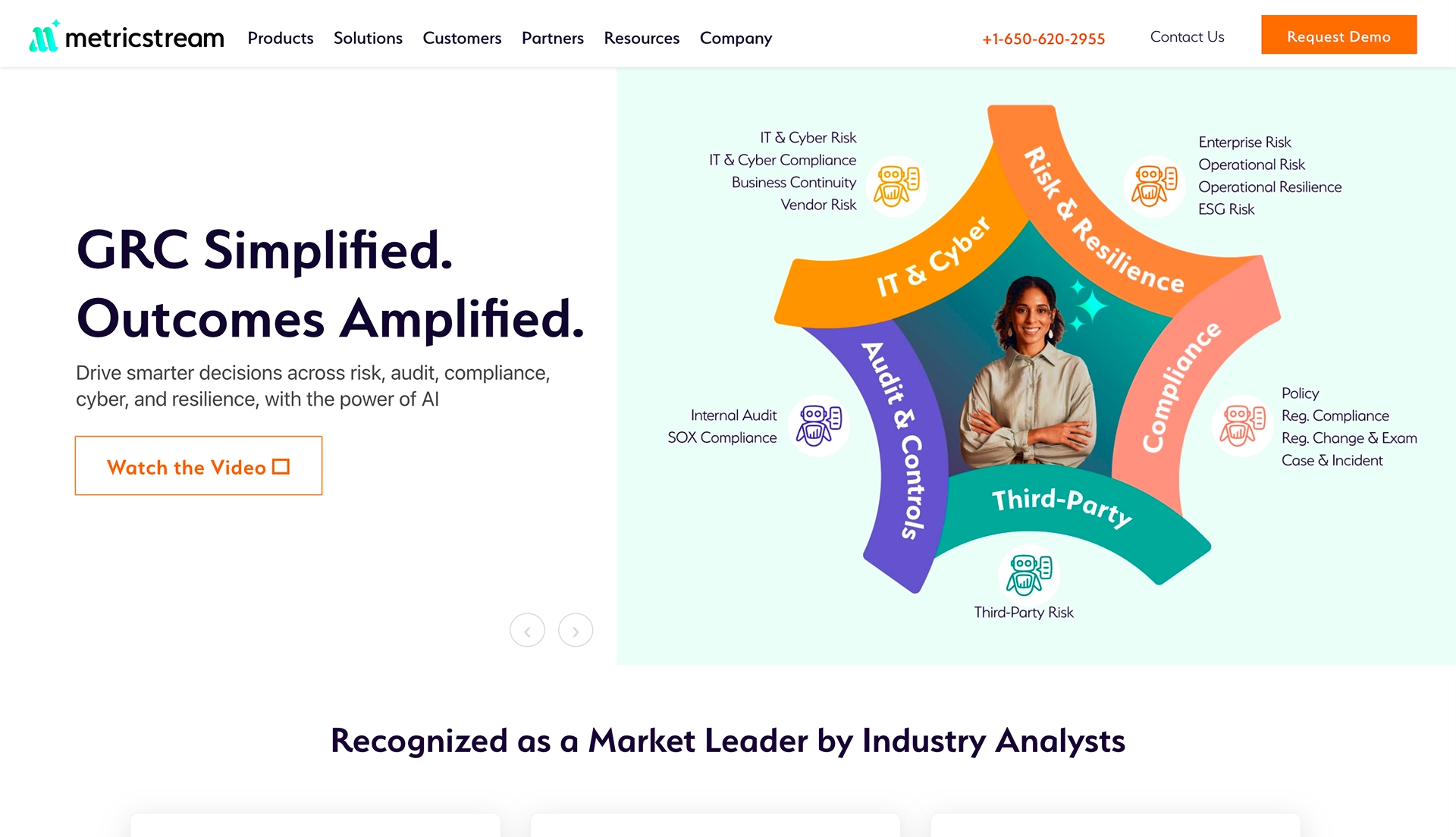
MetricStream provides a comprehensive internal audit management solution as part of its broader Governance, Risk & Compliance (GRC) platform. It’s built to support risk-aligned audit planning, execution, and reporting at scale, with strong integration across risk, controls, and compliance functions, making it a common choice for large enterprises managing complex, multi-dimensional risk environments.
Key Features:
- Risk-Based Audit Planning & Execution: Create structured audit plans with objectives, scope, and resource scheduling, tied to a centralized risk framework.
- Dashboards & Reporting: Real-time dashboards and reports help monitor audit progress, results, and issue status at enterprise scale.
- Issue & Remediation Tracking: Track findings, corrective actions, and issue resolution across audit cycles.
- Mobile Capabilities: Auditors can respond, review, and complete workpapers and control tests via mobile access.
- Integrated Risk & Control Framework: Align audits directly with enterprise risk registers and control libraries for deeper insight and traceability.
Best For: MetricStream is best suited for large enterprises that need deep integration across audit, risk, controls, and compliance and can support a complex, enterprise-scale GRC implementation.
Teams looking for simpler, execution-focused audit workflows may find MetricStream too complex and resource-heavy for day-to-day audit operations.
G2 Rating: 3.5 / 5
Pricing: Available on request
Trial / Demo: Demo available on request
8. MyFieldAudits
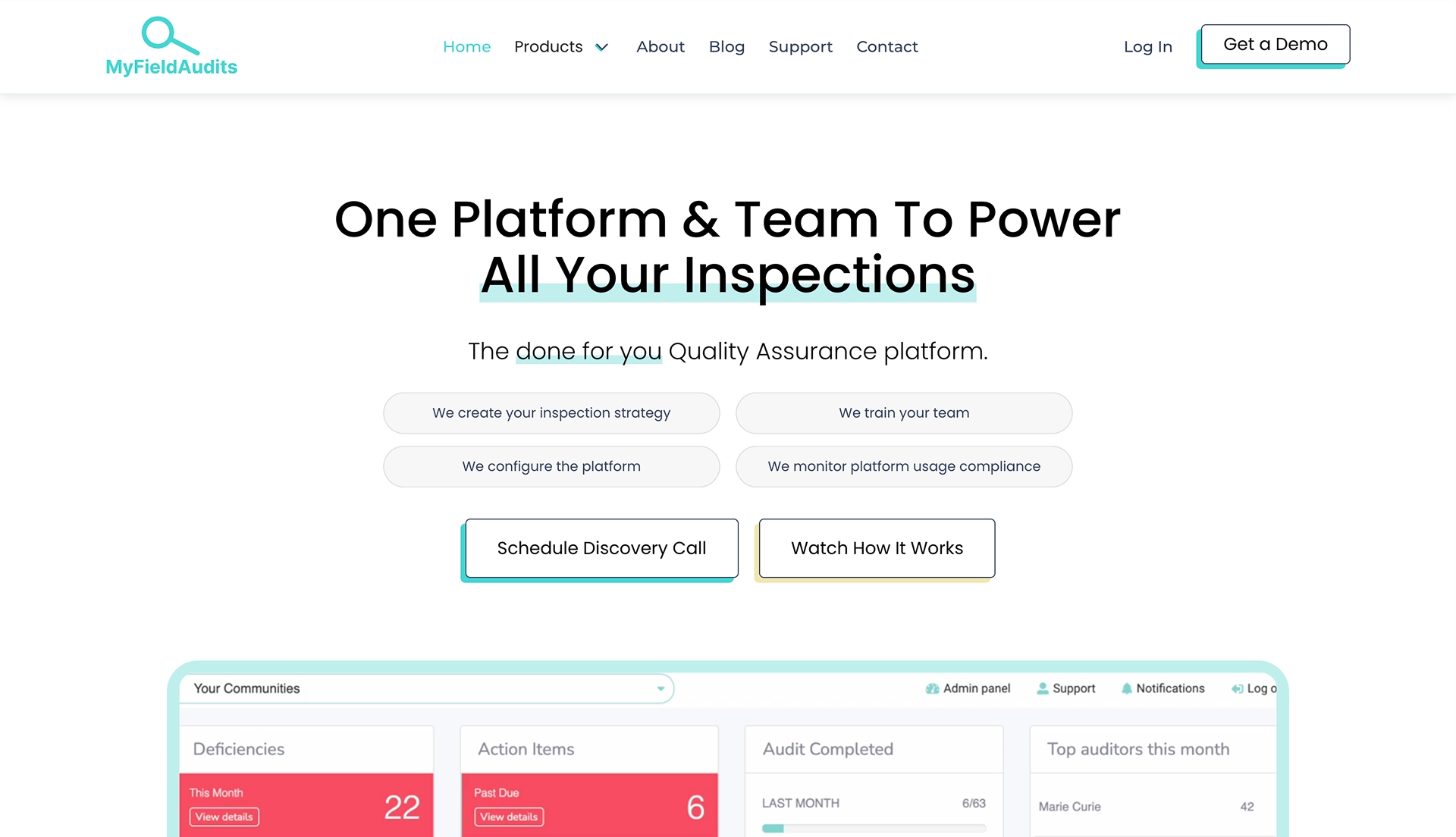
MyFieldAudits is a mobile-friendly field audit and inspection platform focused on enabling teams to conduct audits and inspections across multiple locations with real-time data capture. It’s designed to help organizations replace paper forms and spreadsheets with digital checklists and to collect richer evidence such as photos and videos directly from the field.
Key Features:
- Mobile Inspections & Evidence Capture: Conduct audits and inspections from smartphones or tablets, uploading notes, photos, and videos in real time.
- Custom Schedules & Reporting: Schedule audits across locations, track progress, and generate basic reports to show completion and findings.
- Action Item Assignment: Assign tasks to team members from within the mobile app to follow up on issues found in the field.
- Centralized Records: Sync audit data to the cloud so evidence and inspection results are viewable across teams.
Best For: MyFieldAudits is best suited for operational, multi-location teams that need a mobile-first tool for field audits and inspections.
Teams looking for full internal audit lifecycle management, including planning, risk integration, and SOX/HIPAA reporting, will likely find it too limited.
G2 Rating: N/A
Pricing: Custom/vendor quote
Trial / Demo: Demo or discovery call available on request
9. Diligent Audit Management
Diligent Audit Management (part of the Diligent One Platform) is an enterprise audit and GRC solution that combines audit planning, execution, workflow automation, analytics, and reporting within a unified governance, risk, and compliance system. It emphasizes integrated audit processes, continuous monitoring, and real-time insights supported by AI-powered analytics to help audit teams identify risks and streamline controls testing.
Key Features:
- Integrated Audit Workflows: Aligns audits with risk registers and compliance activities for connected assurance workflows.
- AI-Enhanced Analytics: Built-in analytics help surface anomalies and risk patterns that warrant investigation.
- Automation & Continuous Monitoring: Automates routine audit tasks and control testing while tracking performance trends.
- Real-Time Dashboards & Reporting: Centralized dashboards provide status updates and visibility for audit leaders and executives.
Best For: Diligent Audit Management is best suited for large enterprises that want an integrated audit, risk, and governance platform with strong executive and board-level reporting.
Teams looking for simpler, execution-focused internal audit workflows may find it more complex than necessary for day-to-day audit operations.
G2 Rating: 4.3 / 5
Pricing: Not available
Trial / Demo: Demo available on request, no trial
10. SmartSuite
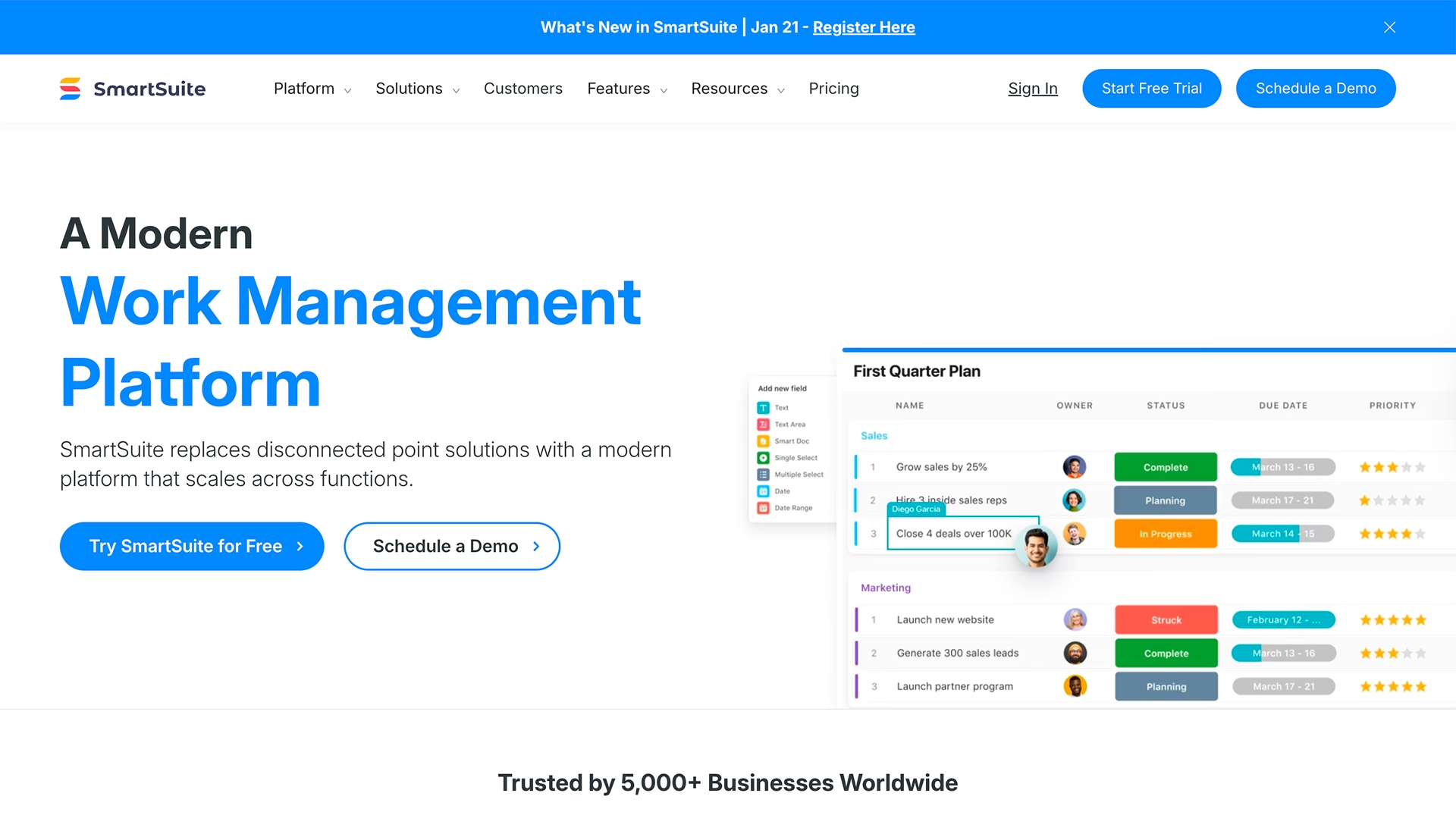
SmartSuite is a flexible work and GRC management platform that lets teams build custom workflows, automate processes, manage tasks, and centralize collaborative work in one place. It supports governance, risk, and compliance activities, including audit planning and controls assessment, through configurable templates and automation without heavy IT dependency.
Key Features:
- Customizable Workflows & Automations: Build and automate repeatable audit and risk processes with visual workflow builders.
- Task & Process Tracking: Assign tasks, monitor statuses, and visualize work in multiple views (grid, calendar, Kanban, etc.).
- Dashboards & Reporting: Create dashboards showing progress, issues, and key metrics.
- GRC Templates & Tools: Support audit planning, risk assessments, policy, and controls processes within a single work platform.
Best For: SmartSuite is best suited for teams that want a flexible, no-code tool to manage audit tasks and lightweight GRC workflows.
Teams needing deep, audit-specific execution, remediation tracking, or SOX/HIPAA-focused workflows may find it too general-purpose.
G2 Rating: 4.8 / 5
Pricing: Starts $12 seat/month billed annually (varies by plan)
Trial / Demo: Free trial available; demo available on request
Also Read: 4 Steps to Conducting a Successful Internal Audit
Features to Look for in an Internal Audit Management Software
Most internal audit tools look similar on feature lists, but they fail in practice when audits are running in parallel, evidence is late, or remediation drags on past deadlines. When evaluating internal audit management software, the real test is whether it can hold up during SOX walkthroughs, HIPAA reviews, and follow-up cycles, not whether it can store documents.
1. Full-Lifecycle Audit Control (Not Just Planning)
Effective platforms manage the entire audit lifecycle in one flow, from risk-based planning and scoping to testing, review, and formal closure. This prevents audits from breaking into disconnected phases where ownership and accountability are lost mid-cycle.
2. Evidence That Is Audit-Ready by Default
Strong tools centralize evidence, workpapers, and test results in a single system with automatic time-stamping and version control. When regulators or external auditors ask for proof, evidence should be retrievable instantly without email chases or last-minute clean-up.
3. Enforced Ownership and Follow-Ups
Audit software must do more than assign tasks. It should enforce deadlines through reminders, escalations, and visibility into overdue actions, ensuring findings don’t stall because no one is accountable for closing them.
4. Remediation That Actually Closes Findings
Findings should flow directly into remediation workflows with clear owners, status tracking, and closure validation. This is critical for reducing repeat findings across recurring SOX and HIPAA audits, where unresolved issues quickly erode audit credibility.
5. Dashboards That Show Execution Gaps, Not Just Status
Useful dashboards surface where audits are slipping, which actions are overdue, and which risks are increasing. Audit leaders need to see execution bottlenecks early, not after an audit report is issued.
6. Direct Connection to Risk and Compliance Programs
Platforms that link audits to risks, controls, and policies prevent duplicate work and support continuous auditing. This connection is what allows audit teams to move beyond one-time reviews and maintain readiness year-round.
Together, these capabilities distinguish audit platforms built for real execution from tools that simply digitize spreadsheets. For internal audit teams operating in regulated US environments, this difference determines whether audits remain controlled or become reactive fire drills.
Best Practices for Implementing Internal Audit Management Software
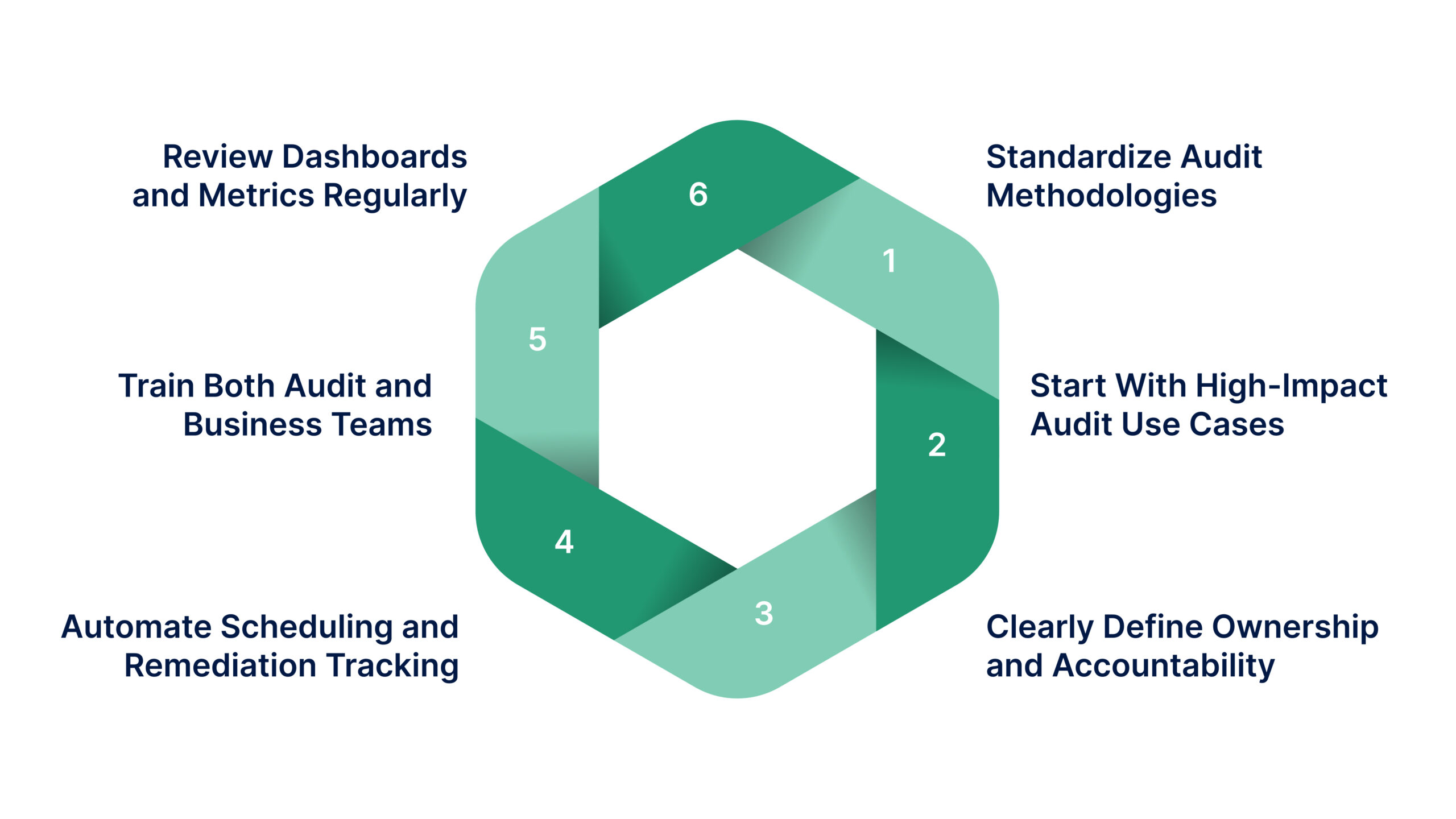
Implementing internal audit software successfully requires more than switching tools. The most effective programs focus on process clarity, adoption, and continuous improvement.
- Standardize Audit Methodologies Before Implementation
Define common audit templates, testing procedures, and documentation standards upfront. Standardization ensures consistency across audits and simplifies system configuration. - Start With High-Impact Audit Use Cases
Begin with audits that cause the most friction, such as SOX testing, HIPAA controls, or recurring operational audits. Early wins build confidence and accelerate adoption. - Clearly Define Ownership and Accountability
Assign owners for audit tasks, evidence submission, and remediation actions. Clear accountability prevents stalled audits and improves follow-through. - Automate Scheduling and Remediation Tracking
Use automated schedules, reminders, and escalation workflows to keep audits moving. Automation reduces dependency on manual follow-ups and email coordination.
- Train Both Audit and Business Teams
Adoption improves when business stakeholders understand how to submit evidence, respond to findings, and close actions. Role-based training minimizes resistance and errors. - Review Dashboards and Metrics Regularly
Monitor audit progress, overdue actions, and repeat findings through dashboards. Use these insights to refine audit plans and improve control effectiveness over time.
When implemented with these practices, internal audit management software becomes a foundation for continuous assurance rather than a reactive audit tool.
Streamline Your Audit Lifecycle with VComply
Internal audit leaders consistently tell us their biggest pain points are manual evidence collection, delayed remediation, and proving audit readiness to executives and regulators. VComply’s ComplianceOps directly addresses these challenges by powering end-to-end audit management with automated workflows for planning, evidence collection, task assignments, and remediation tracking, all integrated with your risk and policy programs.
Here’s exactly how ComplianceOps transforms audit workflows:
- Automated Audit Planning: Create risk-based audit schedules, assign programs to teams, and link tests directly to SOX/HIPAA controls and organizational risks for prioritized coverage.
- Centralized Evidence Collection: Replace shared drives with structured workpapers where auditors upload test results, screenshots, and documents that automatically attach to controls with timestamps.
- Real-Time Task Tracking: Assign remediation owners with due dates, automated escalations, and visibility into overdue actions so findings close faster without email chases.
- Executive-Ready Dashboards: Monitor audit progress, control effectiveness, and open issues across your portfolio through configurable dashboards that update leadership automatically.
- One-Click Audit Reports: Generate complete audit packages with findings, evidence, and remediation status that are regulator-ready and exportable in minutes.
Compliance leaders in US organizations use ComplianceOps to stay continuously audit-ready, eliminate repeat findings, and prove SOX/HIPAA controls with clear ownership and real-time dashboards. Start a 21-day free trial to experience streamlined audit execution hands-on.
Final Thoughts
Manual spreadsheets create audit gaps, remediation delays eat up your team’s time, and executives question your SOX/HIPAA readiness right before reviews.
Imagine instead having structured workflows where every audit task has clear ownership, evidence collection happens automatically, and real-time dashboards show leadership exactly where risks stand, turning reactive fire drills into continuous assurance.
VComply‘s ComplianceOps delivers this reality through integrated audit planning, execution, evidence management, and remediation tracking that connects directly to your risk and policy programs, eliminating repeat findings and keeping you audit-ready year-round.
Book a free demo to see how it transforms your audit lifecycle and gives your team the control they need.
Frequently Asked Questions
Internal audit software centralizes audit planning, execution, evidence collection, reporting, and issue tracking. It eliminates manual spreadsheets and emails, improves documentation quality, reduces errors, and provides a defensible audit trail that supports risk and compliance efforts.
By automating repetitive tasks, such as scheduling, documentation, risk assessments, and reporting, audit tools save time, reduce manual errors, and give auditors real-time insights into progress and findings.
Yes. Modern internal audit software includes built-in compliance templates, audit trails, and reporting dashboards that help teams monitor control effectiveness and demonstrate compliance with regulations such as SOX, HIPAA, and other industry standards.
Absolutely. Many platforms scale from small audit functions to enterprise-level programs. Lightweight or customizable tools are available that provide the core audit lifecycle features without excessive complexity or cost.
Key features include automated workflow support, centralized evidence and workpaper repositories, issue tracking and remediation management, configurable reporting dashboards, risk integration, and collaboration tools.